

Citation Styler Client Sync – Setup & Use
With the Citation Styler Client Sync plugin for Zotero, you can install your purchased citation styles directly in Zotero and update them automatically – without having to download them manually.
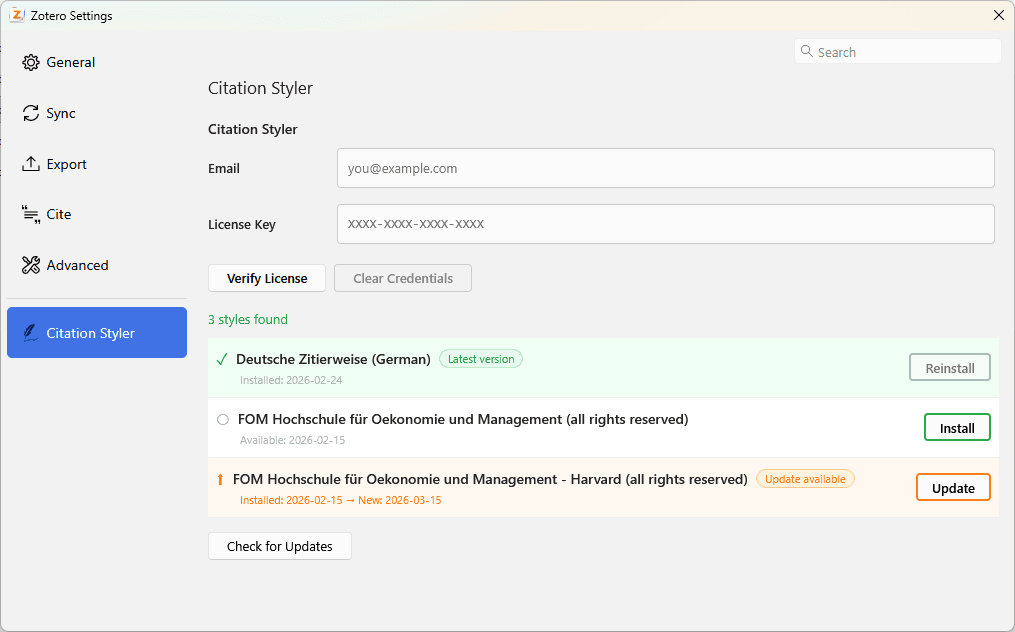
Setup
Step 1: Download the plugin
Download the Citation Styler Client Sync Zotero plugin: Download
(Important for Firefox users: Zotero is based on Firefox. As a result, it recognises the .xpi file as a browser extension and attempts to install it in Firefox itself. That’s not what we want – the file belongs in Zotero. So click with the right mouse button on the download link and select ‘Save target as…’ or ‘Save link as…’ to download it.)
Step 2: Installing the plugin in Zotero
Open Zotero and go to Tools → Plugins (1) and open the ‘Plugin Manager’. Click on the cog icon (2), select ‘Install Plugin From File…’ (3) and select the downloaded .xpi file.
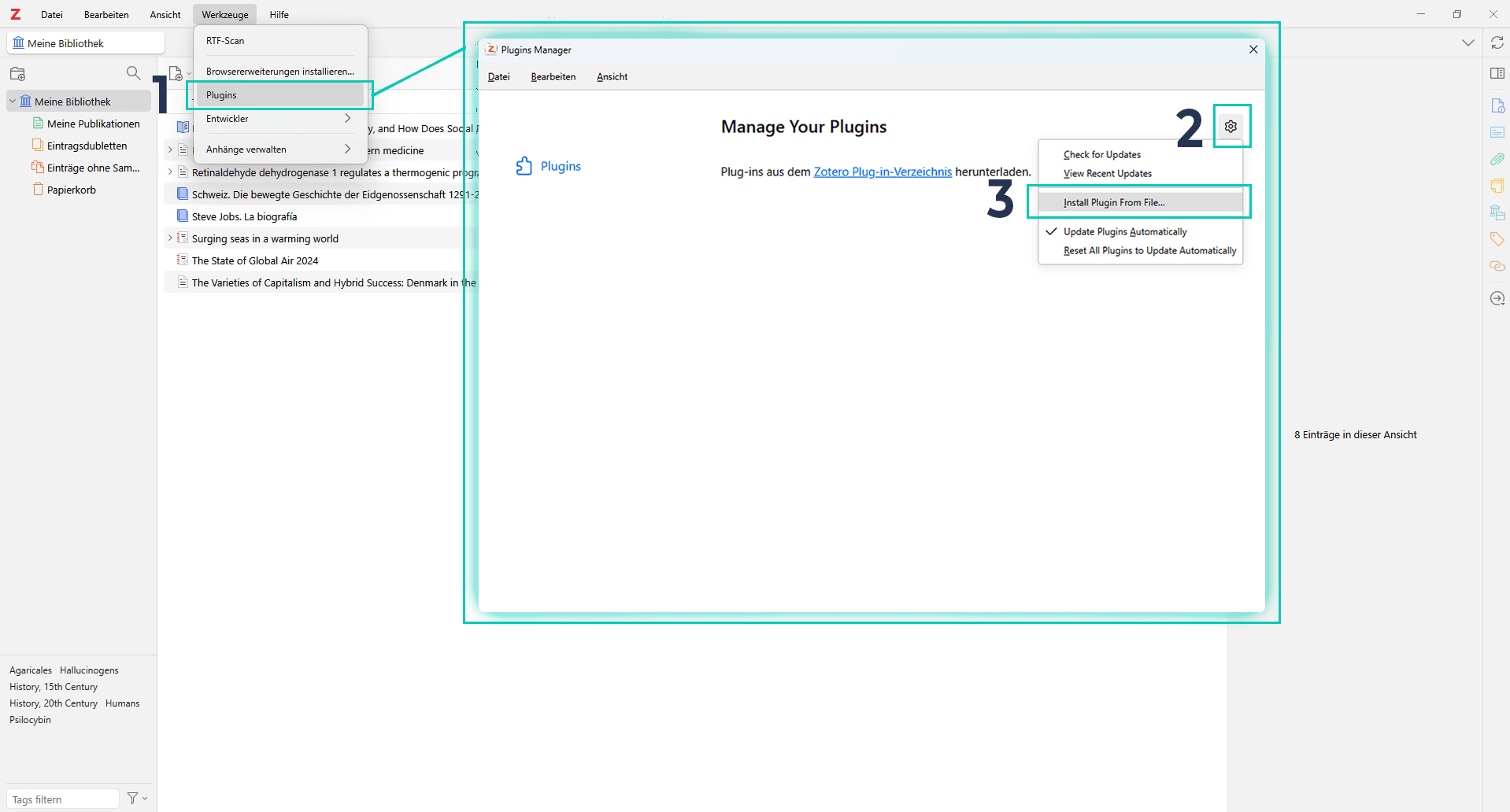
Step 3: Validating your licence
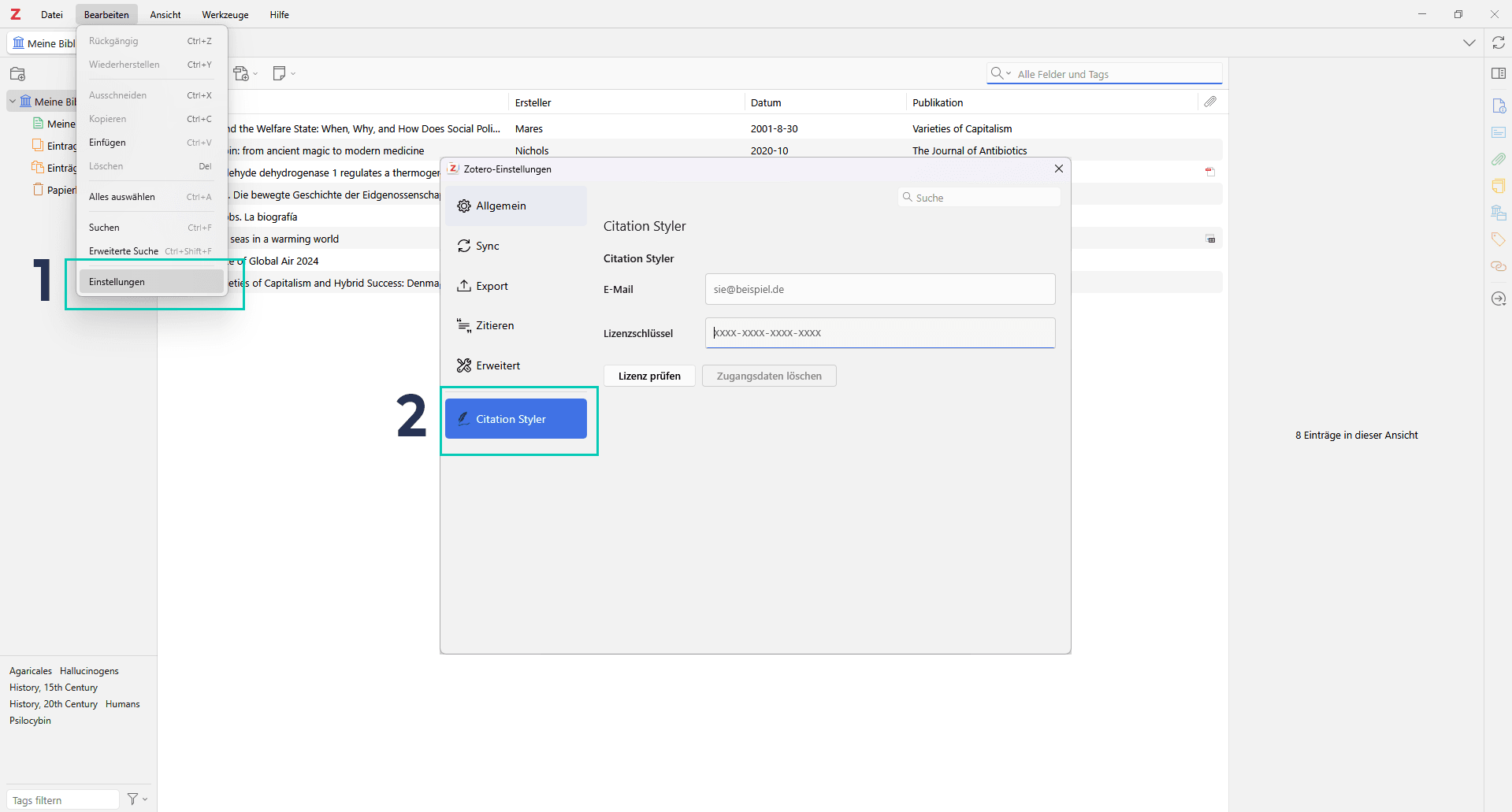
Once installed, the settings should open automatically. If not, you can find them under Edit → Settings (1) At the bottom left, you'll see a new section called "Citation Styler" (2). Enter your Email address and your license key . You can find it in the confirmation email you received after your purchase. It is important that you use the email address you used to purchase the licence.
Important: Please make sure you have a Zotero account and are logged in.
Step 4: Install styles
Once your licence has been verified, the plugin will display all the citation styles included in your licence. Click on ‘Install’ – that’s it. The styles will be available to you in Zotero straight away.
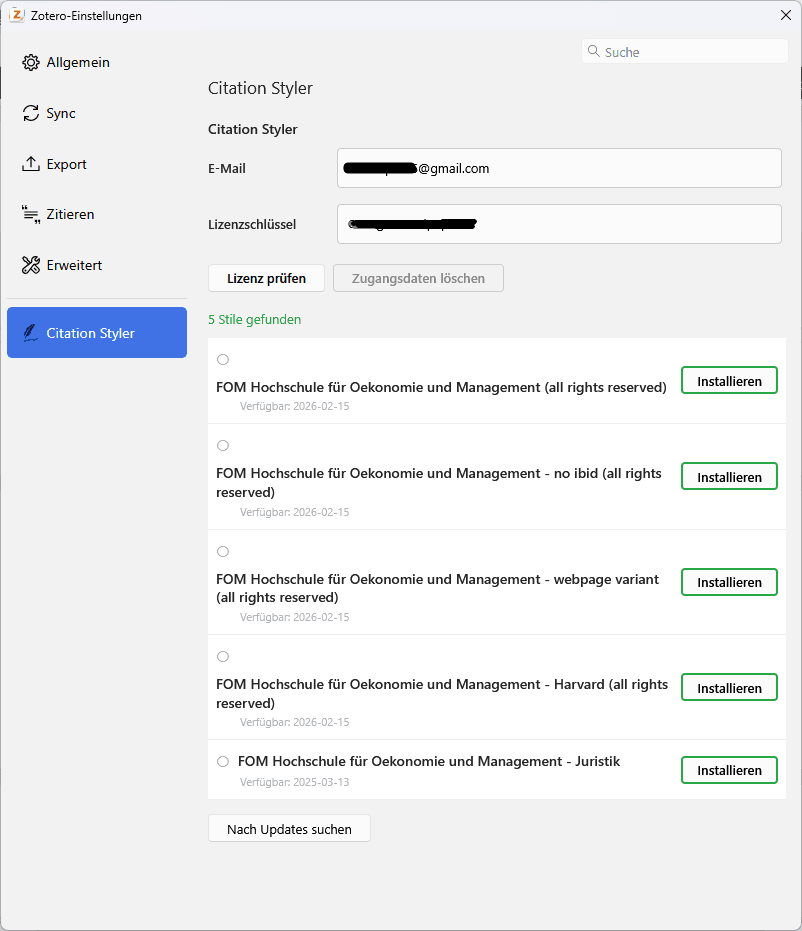
Receiving updates
When a citation style is updated, the plugin will notify you that an update is available. Just one click is all it takes to get the latest version. You don’t need to do anything else.
Important information
During the initial licence validation, your licence is linked to your unique Zotero ID. It is therefore essential that you have activated your Zotero account. If you have accidentally linked the wrong account to your licence, please contact me, stating your email address and the product you purchased.
Questions?
If you have any problems setting it up or any questions about the new system, please feel free to contact me via the contact form or per email.
Frequently Asked Questions (FAQ)
Yes. During the first licence validation, your licence will be linked to your Zotero ID. The validation will not work unless you have an activated Zotero account.
Yes. As long as you’re logged in with the same Zotero account on all your devices, you can use the plugin and your styles on as many devices as you like.
No. Your licence is valid for life – including all future updates for the styles you have purchased.
The plugin notifies you directly in Zotero when an updated version of one of your styles is available. You can install the update with a single click.
Get in touch with me via the contact form, then I'll unlink it and you can relink your licence.
In the confirmation email you received after your purchase. If you can’t find the email, please get in touch with me.
Firefox attempts to install .xpi files as browser extensions. Right-click on the download link and select “Save target as…” to save the file locally instead. You can then install it as usual via Zotero.
The plugin has been developed for Zotero 7 and later. I cannot guarantee compatibility with older versions.
Your existing styles will continue to work. However, if you’d like to receive updates in future, please contact me – I’ll issue you with a licence for the styles you’ve already purchased. You can then use the plugin shown above to access the latest version directly.
© Citation Styler. All rights reserved. 2026