We have already seen that Zotero has become increasingly popular over the last few years. Zotero should now be able to build on this lead, because after a long beta phase, the time has finally come: on 9 August 2024, Zotero 7 was released. The update not only brings a fresh design, but also significant performance improvements and new functions. In the following article, I will show you an overview of these new functionalities and why it is definitely worth making the switch, and not just because of the new logo.
Table of Contents
A facelift & a native dark mode
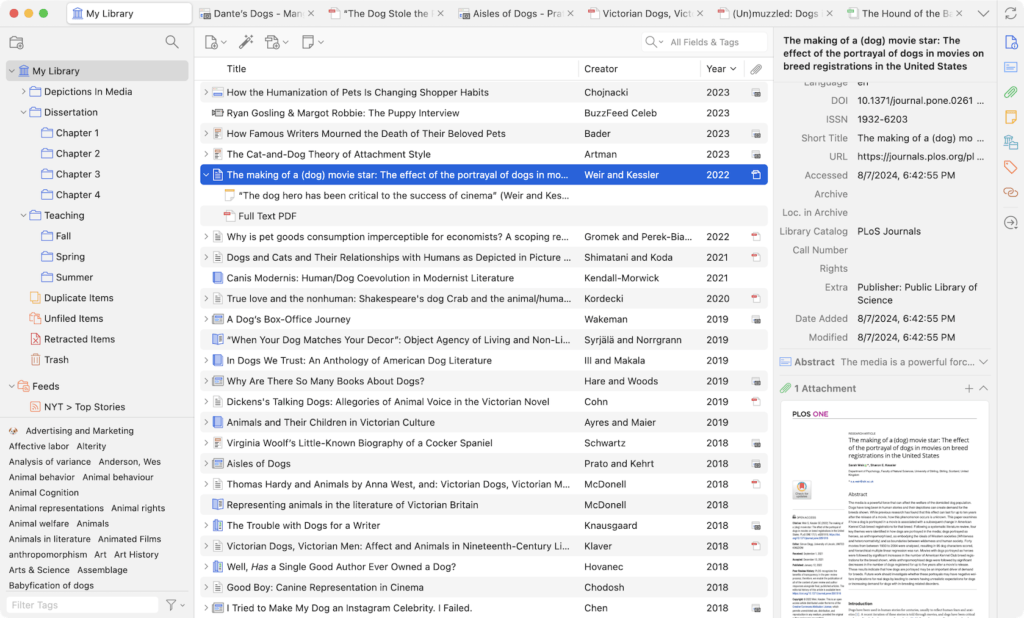
The design of Zotero has undergone a comprehensive relaunch. The new user interface is more modern and clearer, without losing the familiar Zotero atmosphere.
New element areaThe horizontal tabs have been replaced by vertical sections, which creates more space for information and makes navigation easier.
Dark ModeThe popular dark mode is finally here and has been integrated into the design from the ground up. The dark mode is activated automatically based on your operating system. It also works with PDFs and EPUBs.
Compact or convenient modeUsers can choose between a compact and a more comfortable layout to customise the display.
Zotero 7's new interface
Improved performance
Zotero 7 is significantly faster than its predecessors and now also supports the latest hardware generations. With native support for Apple Silcon Macs, as well as 64-bit Windows and Windows on ARM CPUs, you can now finally install Zotero on all common devices and expect smooth operation, especially if you have a very large database with many entries and attachments.
New PDF Reader & EPUB support
One of the most important new features in Zotero 7 is the significant improved reader. This can now not only open and edit PDFs, but also EPUBs. EPUBs are much more flexible than PDFs. They automatically adapt to the screen size and can be customised. In Zotero you can open EPUBs just like PDFs annotate and add your notes. In most cases, the programme can also automatically retrieve metadata for the EPUBs and create a suitable entry.
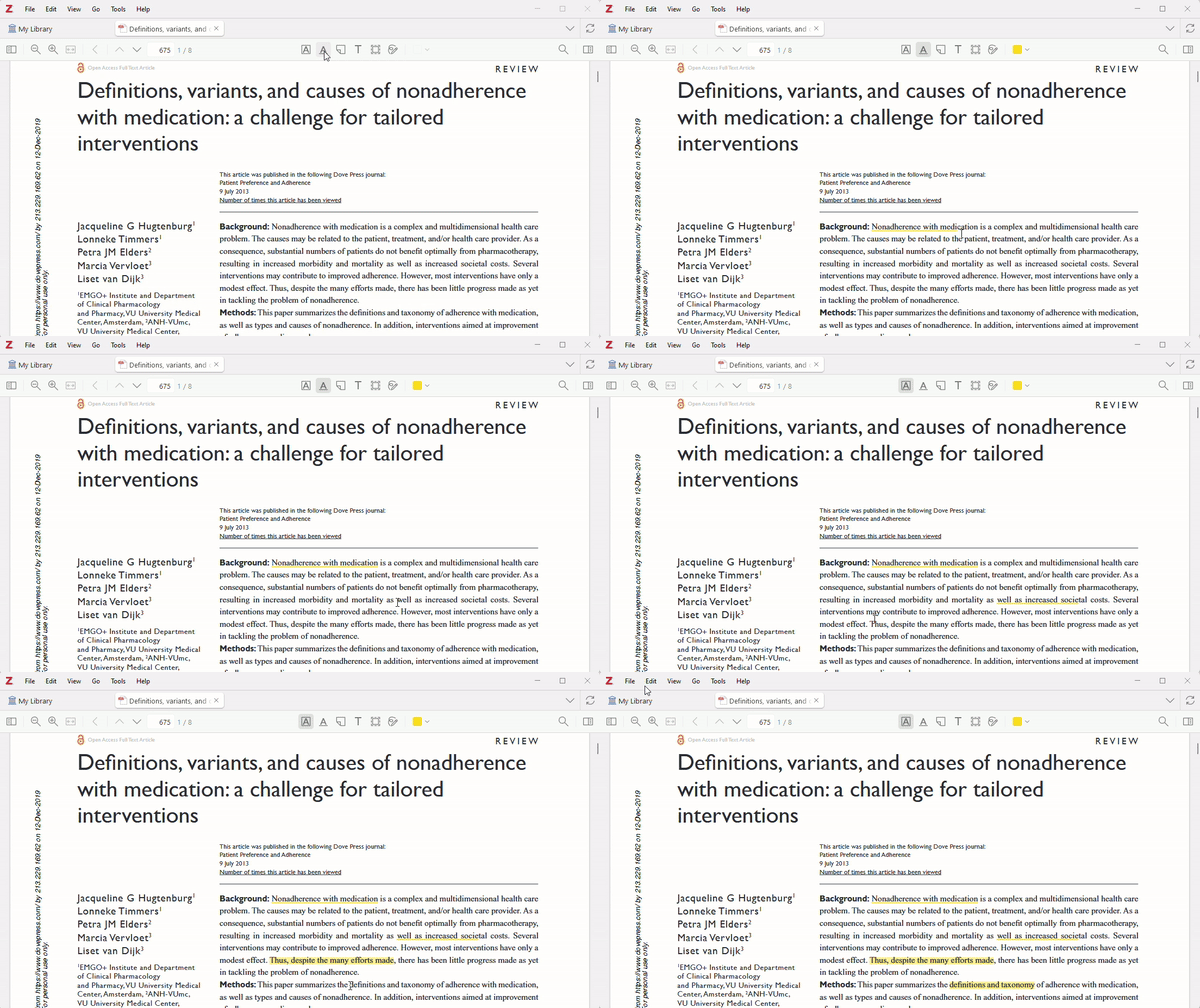
In addition to EPUBs, the new reader also supports Webpage-Snapshots. You can now annotate these just as easily as PDFs. New annotation types are also available, including freehand drawings, underlining and text annotations.
Another practical function is the „Smart Reference Popup“. When you move the mouse over a quote or an internal link, a small window appears with the relevant information. This means you no longer have to constantly switch back and forth between different pages.
Zotero 7's new PDF annotations
New plugin architecture for the Zotero ecosystem
With Zotero 7, the plugin architecture has been fundamentally revised. This means that plugins can now be developed more easily and made more stable. In addition, plugins can now be loaded and unloaded without restarting Zotero. These improvements are good news for all plugin developers and therefore also for Zotero users.
A word of caution:
Before you update to Zotero 7, you should make sure that the plugins you are using are already compatible with Zotero 7. Not all plugins have been adapted for the new version yet. You can find more information in the Zotero forum or on the individual developer pages.
Zotero lives from its plugins. These little helpers extend the functionality of Zotero with numerous practical functions, from BibTeX support and language translation to the integration of artificial intelligence. Don't miss my list of Top Zotero extensions.
Further new functions for convenience and efficiency
Zotero 7 offers a number of other practical improvements that make everyday work easier:
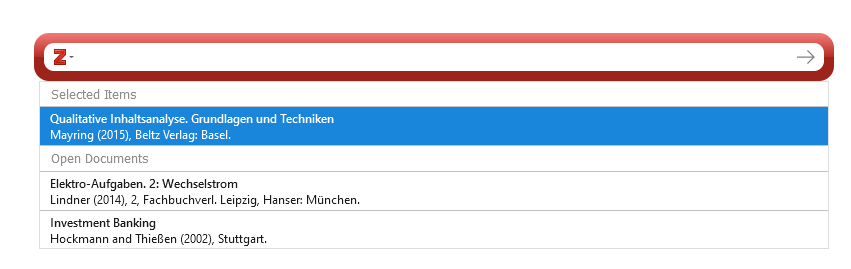
More intelligent quoting: The creation of citations has been simplified. Zotero automatically suggests suitable entries and enables direct citation from the reader.
Faster collection search: Find the collections you want in an instant without having to let go of the keyboard.
Clear tabbed menu: All open tabs are clearly displayed and can be quickly closed or rearranged.
Direct attachment previews: View previews of PDFs, EPUBs, images and other attachments directly in the element area.
Safe handling of deleted content: Deleted collections and searches now end up in the recycle bin (and are not deleted directly) and can therefore be restored if necessary.
Better overview of affiliations: A new section in the element area shows in which libraries and collections an element is located:
More flexible file numbers: Automatic file naming has been enhanced. You can now create complex rules to ensure that file names contain all the information you need.
Improved accessibility: Zotero 7 is now more accessible for screen reader users and offers improved keyboard navigation. Further improvements in this area are planned.
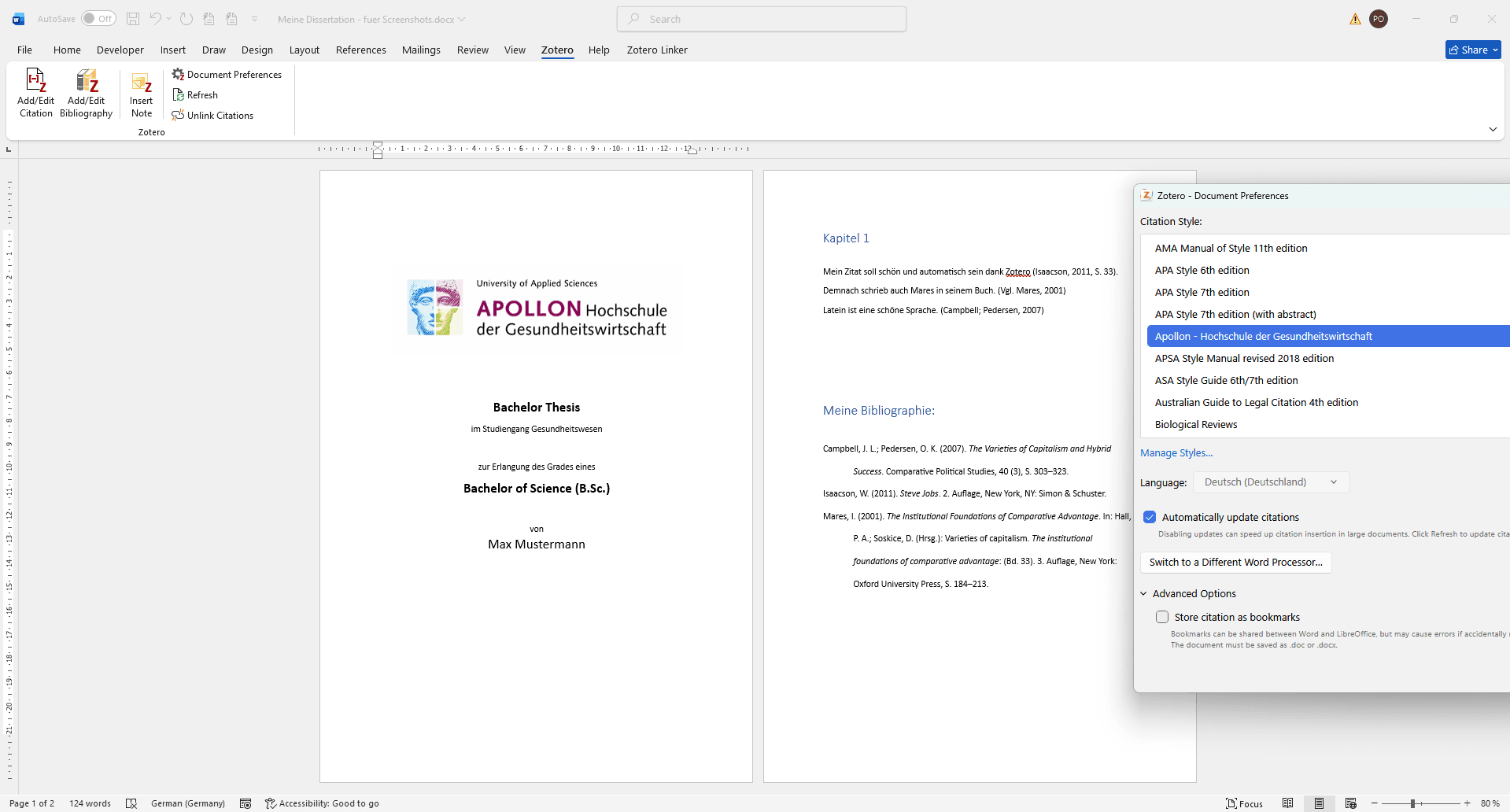
Citing in Word and co. is now even easier. Zotero recognises the articles you are currently working with and suggests them.
Summary
Zotero 7 is a big step forward for literature management. The new functions and the revised design make working with Zotero even more efficient and pleasant. Zotero 7 is definitely worth an update and the functionalities will be significantly expanded in the future.
You can find more information in the official blog post:
The Zotero fork Juris-M no longer synchronises and is considered abandoned. However, there are new developments: a new plugin is bringing jurisdictions, legal styles and parallel citations back to the current version of Zotero – still in alpha, but at an astonishing pace. What Juris-M users should know and do now.
How the cite-non-english plugin replaces Juris-M and, for the first time, enables clean multilingual citations, especially CJK citations, directly in Zotero.
Comparison of citation software: Which tool is the best for your academic work? We analyse the development of Zotero, Mendeley, EndNote, JabRef and Citavi and show you which program is currently in vogue.
We use cookies to improve your browsing experience, display personalised adverts or content, and analyse our website traffic. By clicking ‘Accept all’, you consent to the use of cookies. You can change or withdraw your consent at any time by clicking the settings icon.
Adjust settings
We use cookies to enable you to navigate our website efficiently and to carry out certain functions. You can find detailed information on all cookies below, under the relevant consent categories.
Cookies classified as ‘necessary’ are stored in your browser, as they are essential for the website’s basic functions.
We also use third-party cookies to help us analyse your use of this website, save your settings and provide you with content and marketing materials that are relevant to you. These cookies are only stored in your browser with your prior consent.
You can enable or disable some or all of these cookies; however, disabling some of them may affect your browsing experience.
Always Active
Necessary cookies are required to enable the basic features of this site, such as providing secure log-in or adjusting your consent preferences. They are not used for advertising or to track you across other sites. The consent cookie stores a random identifier that lets us keep a record of the choice you made.
Cookie
PHPSESSID
Duration
session
Description
PHP session cookie for managing user sessions.
Cookie
selectedTab
Duration
session
Description
Cookie
woocommerce_items_in_cart
Duration
session
Description
WooCommerce cookie to track items in cart.
Cookie
woocommerce_cart_hash
Duration
session
Description
WooCommerce cookie to determine cart contents changes.
Cookie
_GRECAPTCHA
Duration
6 months
Description
Used by Google reCAPTCHA to distinguish between humans and bots.
Cookie
fazcookie-consent
Duration
6 months
Description
Stores the visitor’s cookie consent choices and a random consent ID used to keep a record of this choice.
Always Active
Functional cookies help perform certain functionalities like sharing the content of the website on social media platforms, collecting feedback, and other third-party features.
Cookie
timezone
Duration
session
Description
No description available
Cookie
tk_ai
Duration
session
Description
Stores a randomly-generated anonymous ID. This is only used within the dashboard (/wp-admin) area and is used for usage tracking, if enabled.
Cookie
wmc_current_currency
Duration
1 day
Description
Cookie supplied by Woo Multi-Currency
Cookie
__stripe_mid
Duration
1 year
Description
Stripe fraud prevention cookie for payment processing.
Cookie
__stripe_sid
Duration
30 minutes
Description
Stripe fraud prevention session cookie for payment processing.
Cookie
cf_clearance
Duration
session
Description
Whether a CAPTCHA or Javascript challenge has been solved.
Cookie
LOGIN_INFO
Duration
2 years
Description
This cookie is used to play YouTube videos embedded on the website.
Always Active
Analytical cookies are used to understand how visitors interact with the website. These cookies help provide information on metrics such as the number of visitors, bounce rate, traffic source, etc.
Google Analytics 4 cookie used to persist session state.
Cookie
_ga
Duration
2 years
Description
Google Analytics cookie used to distinguish users.
Cookie
sbjs_migrations
Duration
session
Description
Technical data to help with migrations between different versions of the tracking feature
Cookie
sbjs_current_add
Duration
session
Description
Timestamp, referring URL, and entry page for your visitor’s current visit to your store
Cookie
sbjs_first_add
Duration
session
Description
Timestamp, referring URL, and entry page for your visitor’s first visit to your store (only applicable if the visitor returns before the session expires)
Cookie
sbjs_current
Duration
session
Description
Traffic origin information for the visitor’s current visit to your store
Cookie
sbjs_first
Duration
session
Description
Traffic origin information for the visitor’s first visit to your store (only applicable if the visitor returns before the session expires)
Cookie
sbjs_udata
Duration
session
Description
Information about the visitor’s user agent, such as IP, the browser, and the device type
Cookie
_clsk
Duration
1 day
Description
Microsoft Clarity session cookie.
Cookie
_gid
Duration
24 hours
Description
Google Analytics cookie used to distinguish users.
Cookie
_gat
Duration
1 minute
Description
Google Analytics cookie used to throttle request rate.
Cookie
CLID
Duration
1 year
Description
The cookie is set by embedded Microsoft Clarity scripts. The purpose of this cookie is for heatmap and session recording.
Always Active
Performance cookies are used to understand and analyse the key performance indexes of the website which helps in delivering a better user experience for the visitors.
No cookies to display.
Always Active
Cookies that have not yet been categorized.
No cookies to display.
Always Active
Marketing cookies are used to provide visitors with customised ads based on the pages you visited previously and to analyse the effectiveness of the ad campaigns.
Cookie
sib_cuid
Duration
session
Description
Used by Sendinblue to link website activity with marketing campaigns. Facilitates marketing automation, personalization, lead scoring, and retargeting.
Cookie
_gcl_au
Duration
90 days
Description
Google Ads conversion linker cookie.
Cookie
_fbp
Duration
3 months
Description
Facebook Pixel cookie used for advertising and analytics.
Cookie
YSC
Duration
session
Description
YouTube cookie used to track views of embedded videos.
Cookie
VISITOR_INFO1_LIVE
Duration
6 months
Description
YouTube cookie used to estimate bandwidth and display settings.