Zotero is an open source software that enables researchers and students to manage literature very easily and intuitively. I have already explained why Zotero is so useful and, above all, so good in my article on the advantages of Zotero . The programme's API interface allows developers to create plug-ins that extend the functionalities of Zotero considerably and adapt them to the individual needs of a user. In the official documentation, you will find a rather long list of extensions. In this blog article I would like to specifically introduce some of the plugins that can make working with Zotero more efficient and enjoyable, and in my opinion are almost indispensable.
Table of Contents
1. Better Notes for Zotero - Advanced note functionality
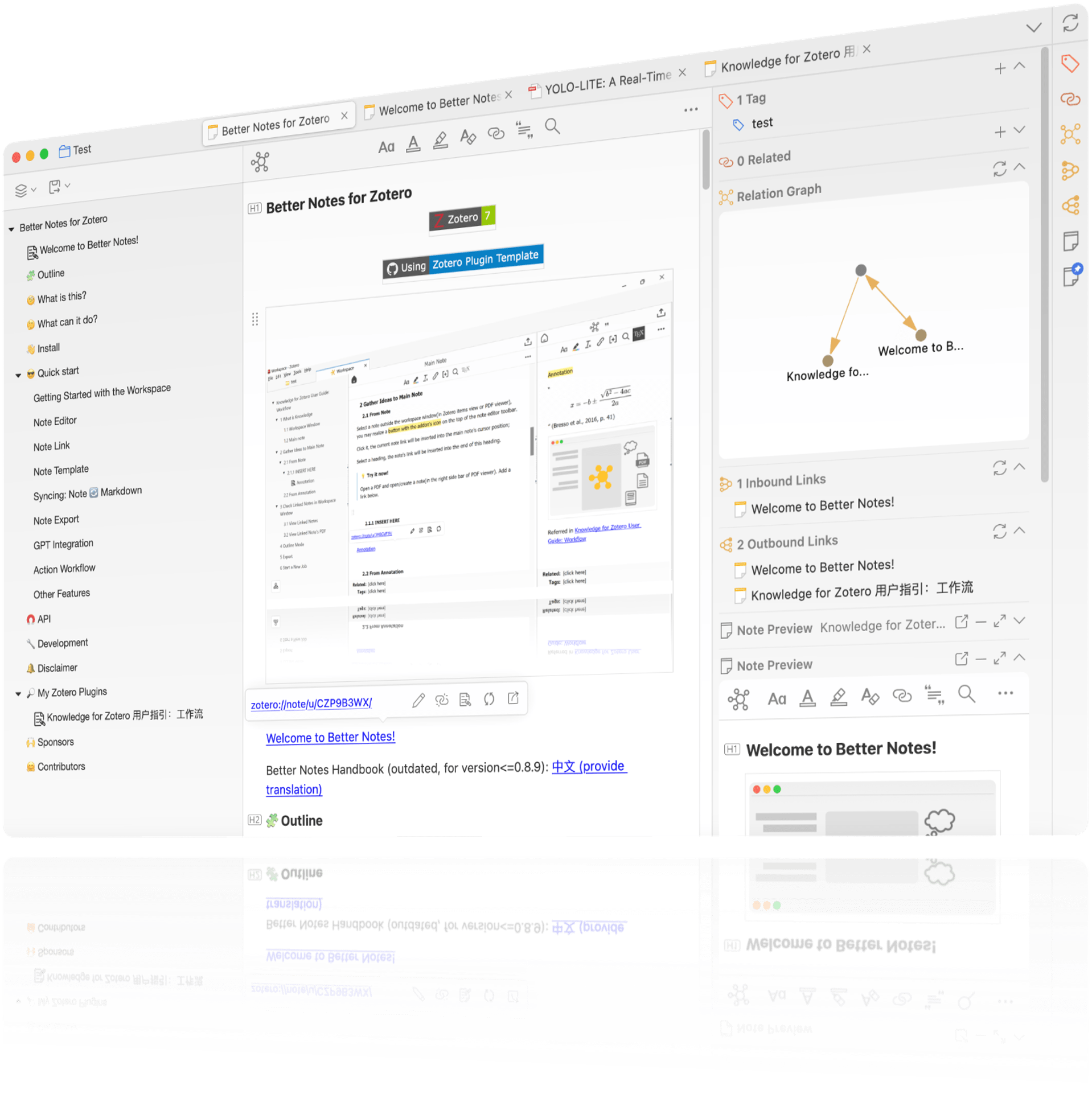
This plugin extends the note functions of Zotero with numerous practical features. With Better Notes for Zotero notes can be created for individual Zotero entries, which are linked, tagged and categorised. In this way, thoughts can be retained and ideas on individual literature sources can be annotated. With automated templates, bi-directional Markdown synchronisation and various export formats (Markdown, .docx, PDF, Mindmap), this plugin is essential for those who are power users of the note-taking function. The extension can also be extended with ChatGPT. See point 6.
Reproduced from windingwinds „zotero-better-notes“
2. Linter for Zotero - Easy HTML formatting of metadata
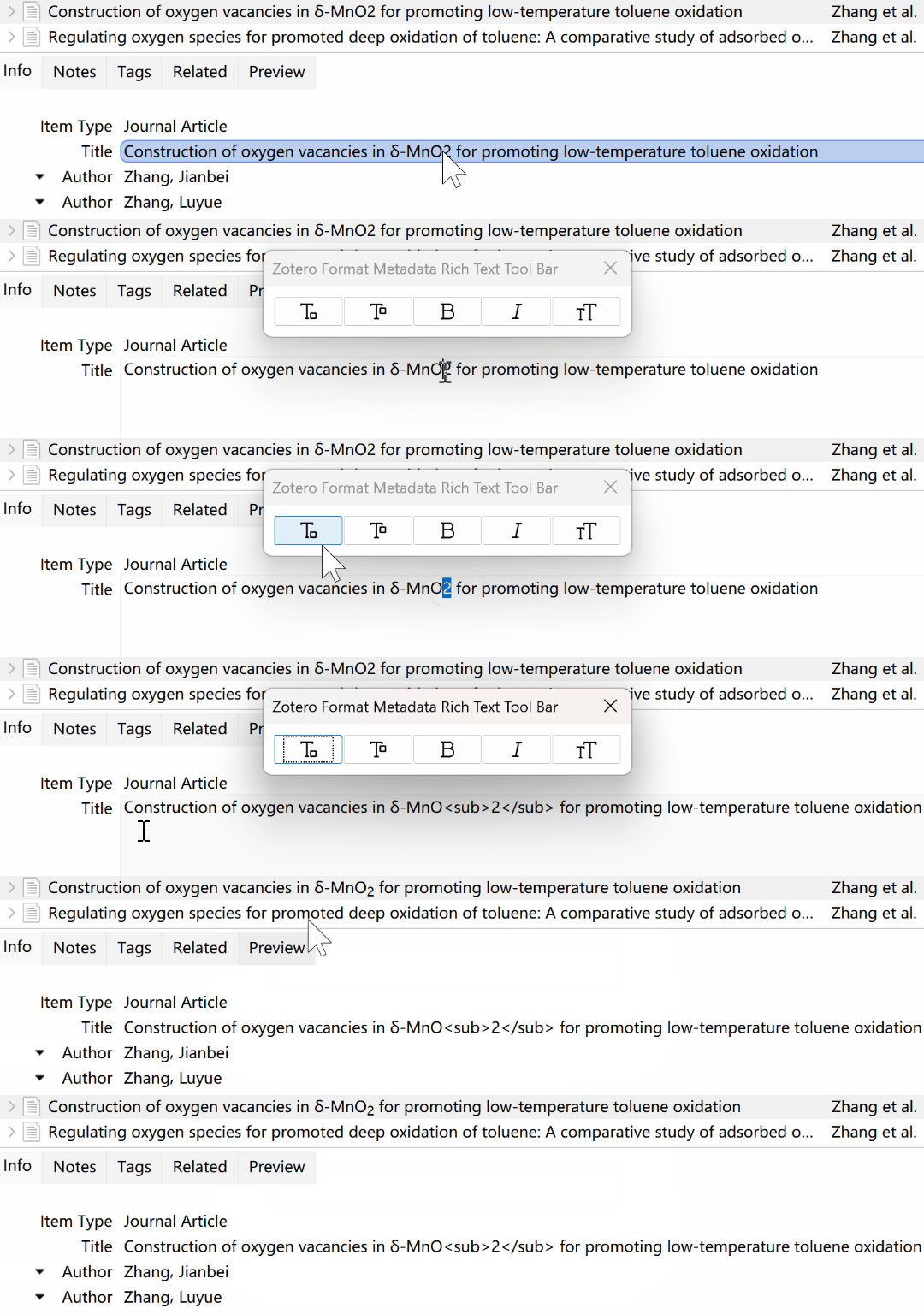
Do you research and write a lot in the field of chemistry or are you a scientist who uses the Linnaeus biological nomenclature a lot? Zotero already lets you add HTML tags in titles, for example to italicize a title like 'The transformation of Australopithecus afarensis to today's Homo sapiens....' However, many users do not know HTML, nor do they know that this is even possible. This is where the Linter for Zotero comes in handy. With a simple key combination or the help bar shown, Homo sapies can easily made into Homo sapiens . Text sections can also be made superscript or bolded, but capitalisation can also be prevented. ⚠️A degree of caution is advised when it comes to the settings, which you should check beforehand. The ‘title casing’ settings are quite aggressive and might end up doing too much. So please check them beforehand.
3. ZotMoov - ZotFile successor for attachment synchronisation
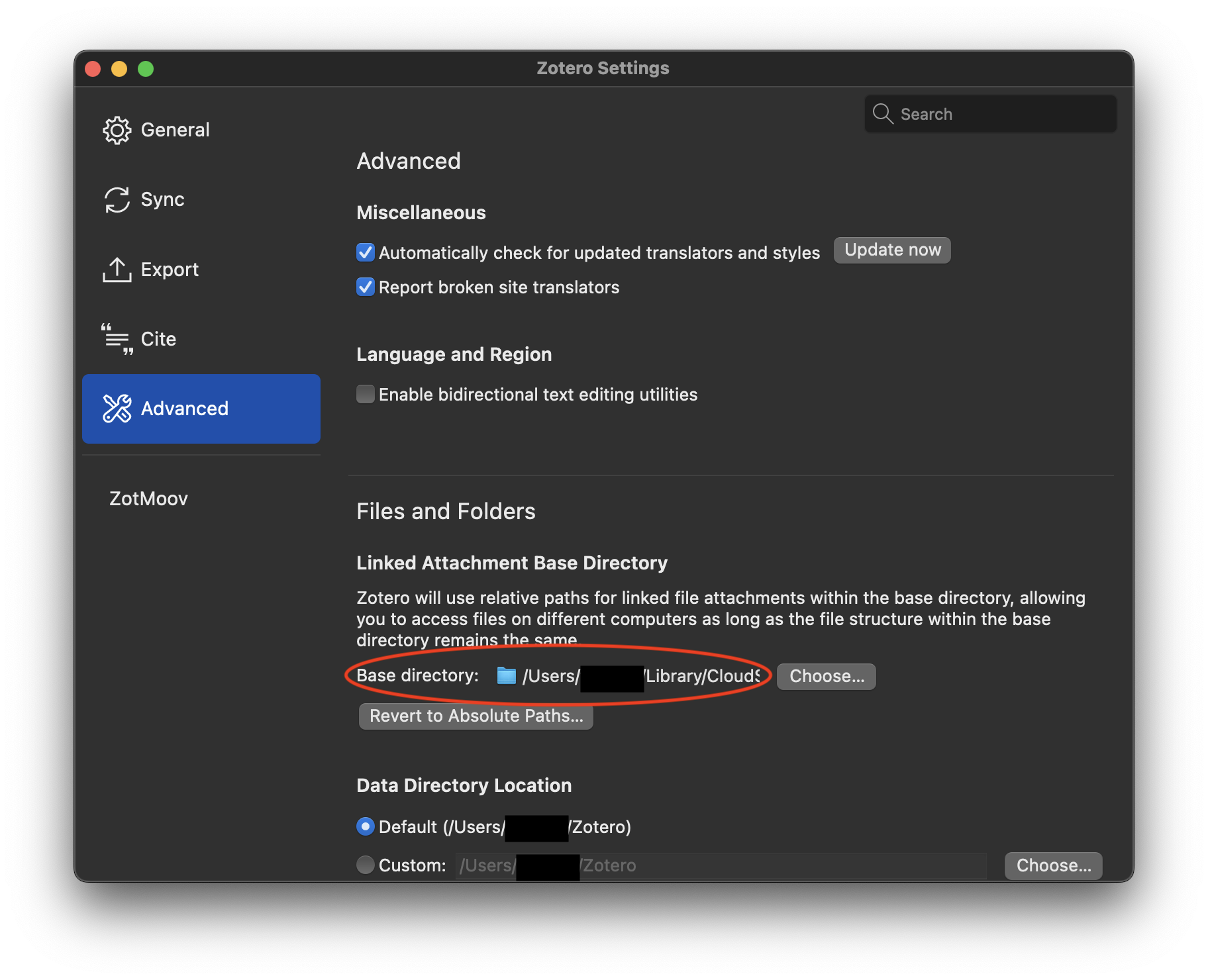
One of the most used plugins for Zotero was ZotFile. However, since it is no longer actively developed and some of the functionality was indirectly embedded in Zotero 7, there has been some discussion about the continued existence of the plugin. Thanks to the developer wileyyugioh, however, you have the possibility of managing your attachements using ZotMoov and is an indispensable plugin for those who work a lot with PDF attachments. The extension allows to synchronise PDFs from the Zotero library .
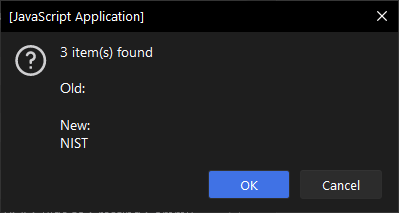
If you have ever had the problem that several entries had the same error or you simply want to change "National Institute of Health" into "NIH" in your library, then the following Bulk Edit Script is for you.
You don't even have to install a plugin for this, just copy the code into the "Run JavaScript" window that Zotero comes with, click on Start and you can use the "Find & Replace" function just like in Word. It couldn't be easier. On the Thalient-ai website you will find a nice and illustrated guide on how to do it. I also have a guide on how to use the Schoeneh's original
On Thalient-ai's GitHub repository you will find a nice and illustrated guide on how to do it exactly. I also have instructions on how to use the original Schoeneh "Zotero Search & Replace" script.
Reproduced from Thalient-AI's "Zotero Bulk Edit Script"
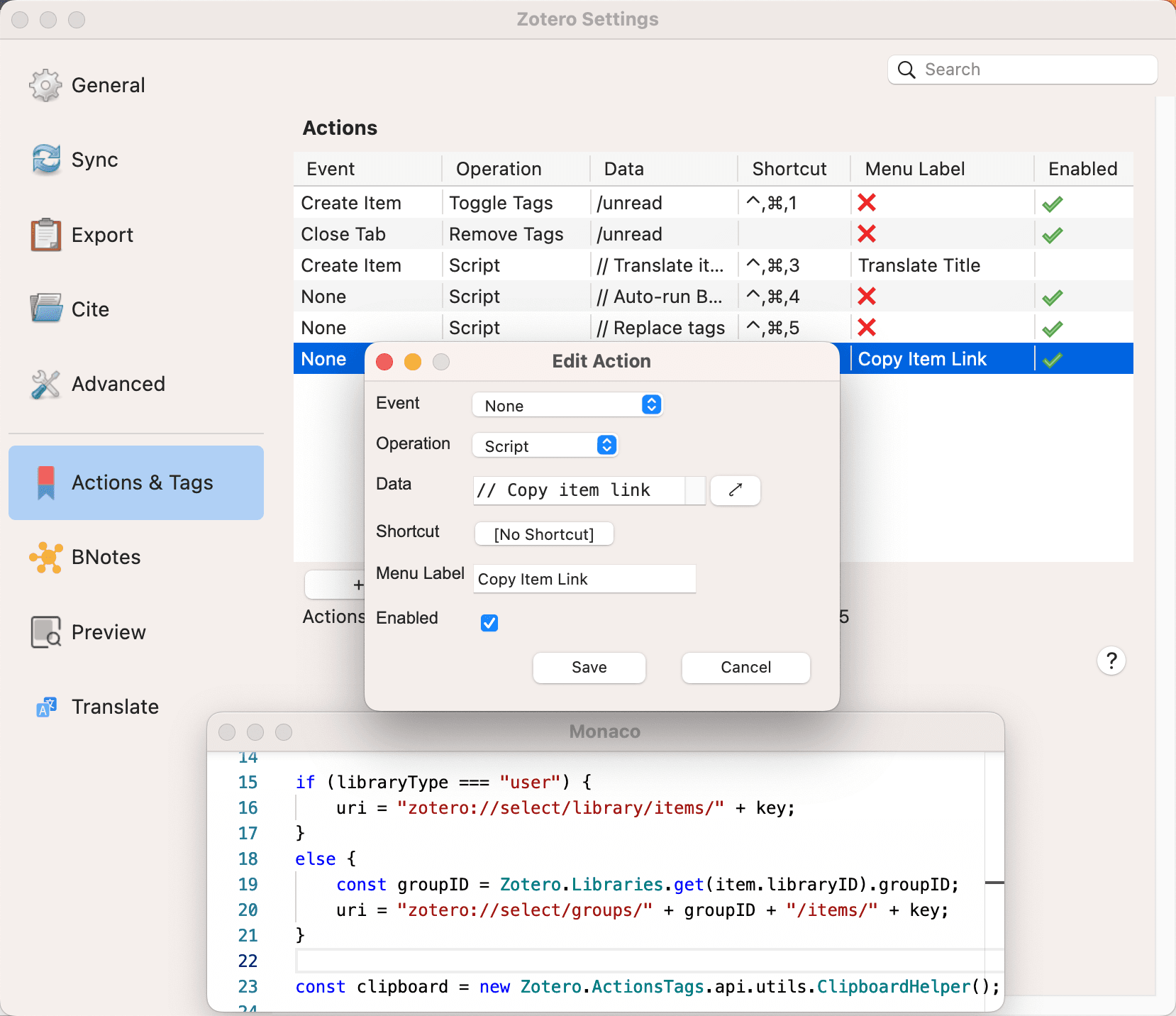
Actions & Tags for Zotero is a practical Zotero plugin for automating workflows. It enables the automatic addition and removal of tags and the execution of customised actions for certain events, such as adding or opening entries. This makes recurring tasks more efficient and saves time. This plugin is particularly useful for users who want to customise and optimise their Zotero usage. The GitHub repository contains a variety of ready-made scripts provided by users that you can simply copy.
Of course, you can also create and customise your own scripts.
Reproduced from windingwind's GitHub directory ‘Actions and Tags for Zotero’
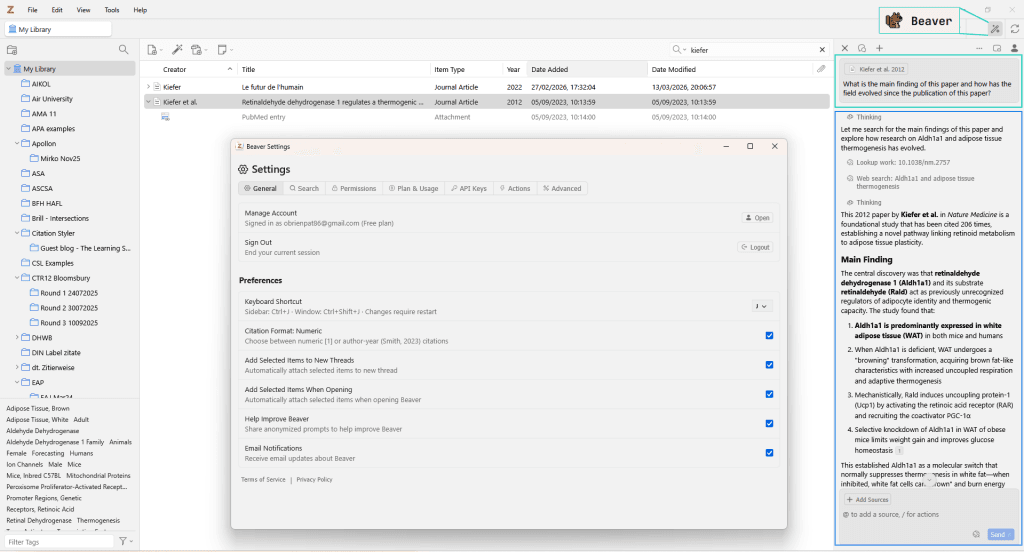
Ever since ChatGPT arrived, everyone has been talking about LLMs, and the question of whether AI can be embedded directly into Zotero came up early on in the Zotero forum. Beaver It provides a convincing answer: the plugin opens as a side panel directly within Zotero (Cmd/Ctrl + J) and recognises the current reading context – right down to the page you’ve just opened. You can highlight sections of text in the PDF and have them explained, query your entire library using natural language, have missing DOIs added, or have new entries automatically sorted into collections. Beaver was developed by Joscha Legewie, who is also behind ZotFile – and you can tell from the integration.
7. Better BibTeX (BBT) - Indispensable for LaTeX and Markdown
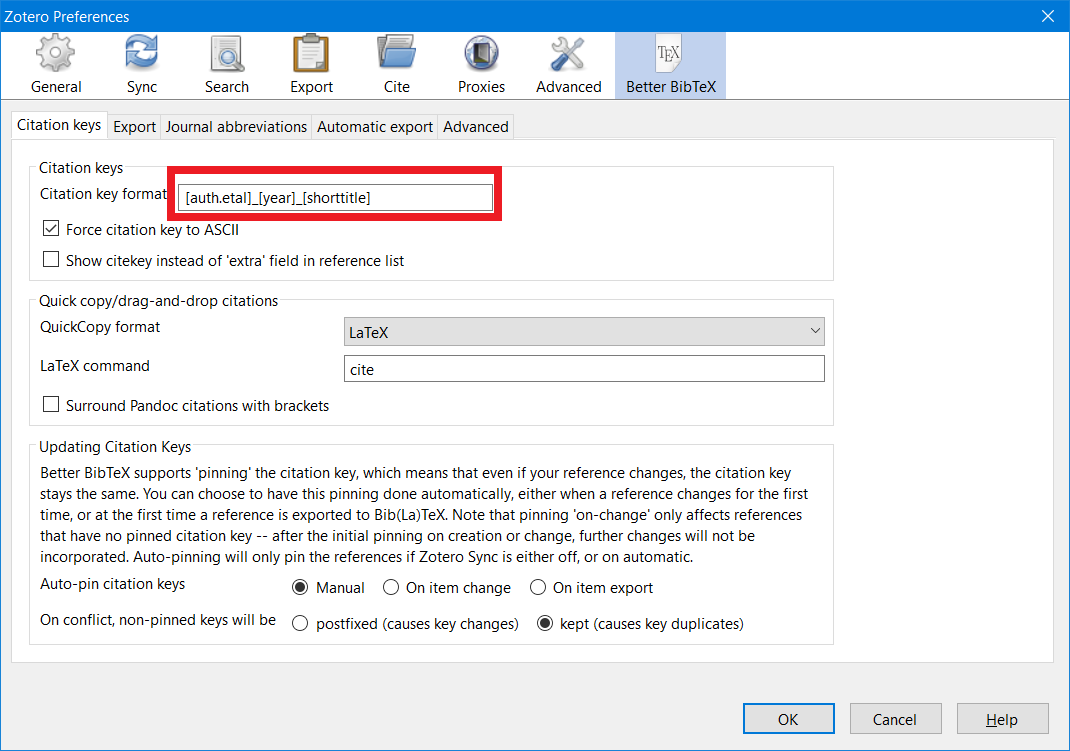
A large proportion of scientists, especially in the mathematical, statistical and chemical fields, use LaTeX or Markdown Word processors like Overleaf. In order to integrate Zotero into this workflow, Better BibTeX is THE plug-in you cannot go without. It allows you to enter your data into Zotero as usual, but at the same time, take advantage of the benefits of Tex processors. Retorquere's website has a lot of information and the LaTeX community has a lot of help to set everything up correctly.
I hope this list has been useful and has shown you one or two plugins that you did not know about. If you have developed a plugin or extension and think that it should not be missing from this list or if you have any questions about one of the plugins shown, you are of course welcome to at any time.
The Zotero fork Juris-M no longer synchronises and is considered abandoned. However, there are new developments: a new plugin is bringing jurisdictions, legal styles and parallel citations back to the current version of Zotero – still in alpha, but at an astonishing pace. What Juris-M users should know and do now.
Are you studying at the DHBW and your next term paper is due? Here I'll show you how to make your life easier thanks to Zotero and the correct citation style.
AI plugins can add valuable functions to Zotero - from optimised literature suggestions to interactive PDF analysis. Find out how ARIA, ZoteroChat and other tools can support the scientific workflow.
Literature research and citation according to German citation style done right, thanks to Zotero and CSL citation template. Here I show you how to do it.