


A common question I get asked:
‘How can I add extra sources to the bibliography in Zotero that I haven't directly cited in the text?’
This often happens with book chapters. You cite a single chapter, but the entire book should also appear in your bibliography. Zotero is naturally unaware of this, and by default, it only includes sources that have been cited in the text.
The problem: The Mares, 2001 chapter was cited, but some guidelines stipulate that the Hall & Soskice book containing this chapter should also appear in the bibliography.
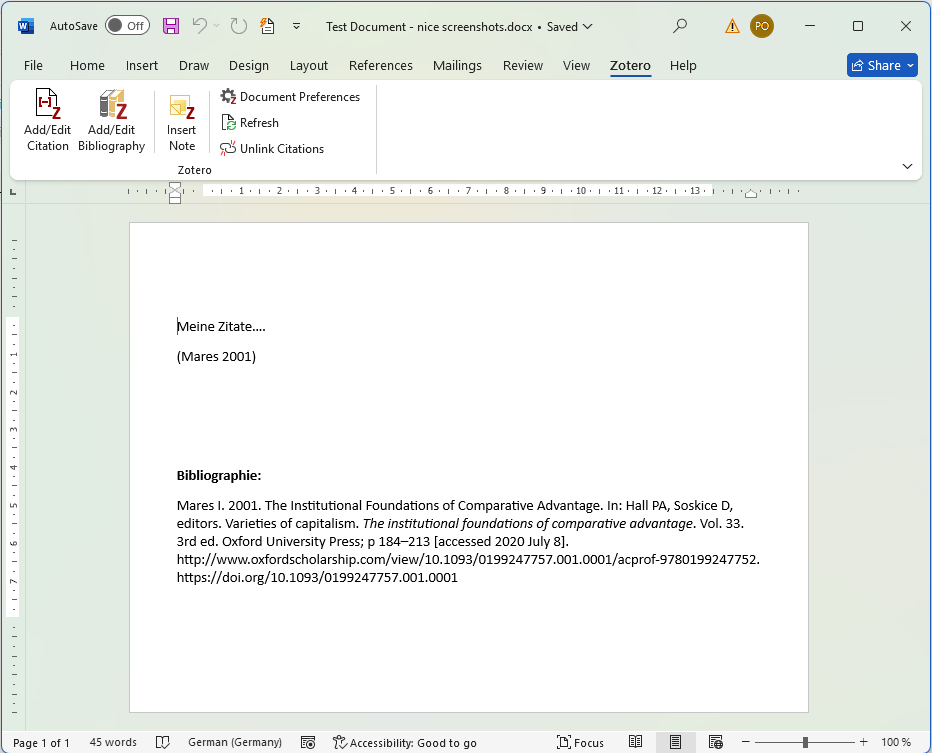
However, the solution is quite simple:
- Move the cursor within the bibliography
- In Word or LibreOffice, in the Zotero tab click on 'Add/Edit Bibliography'.
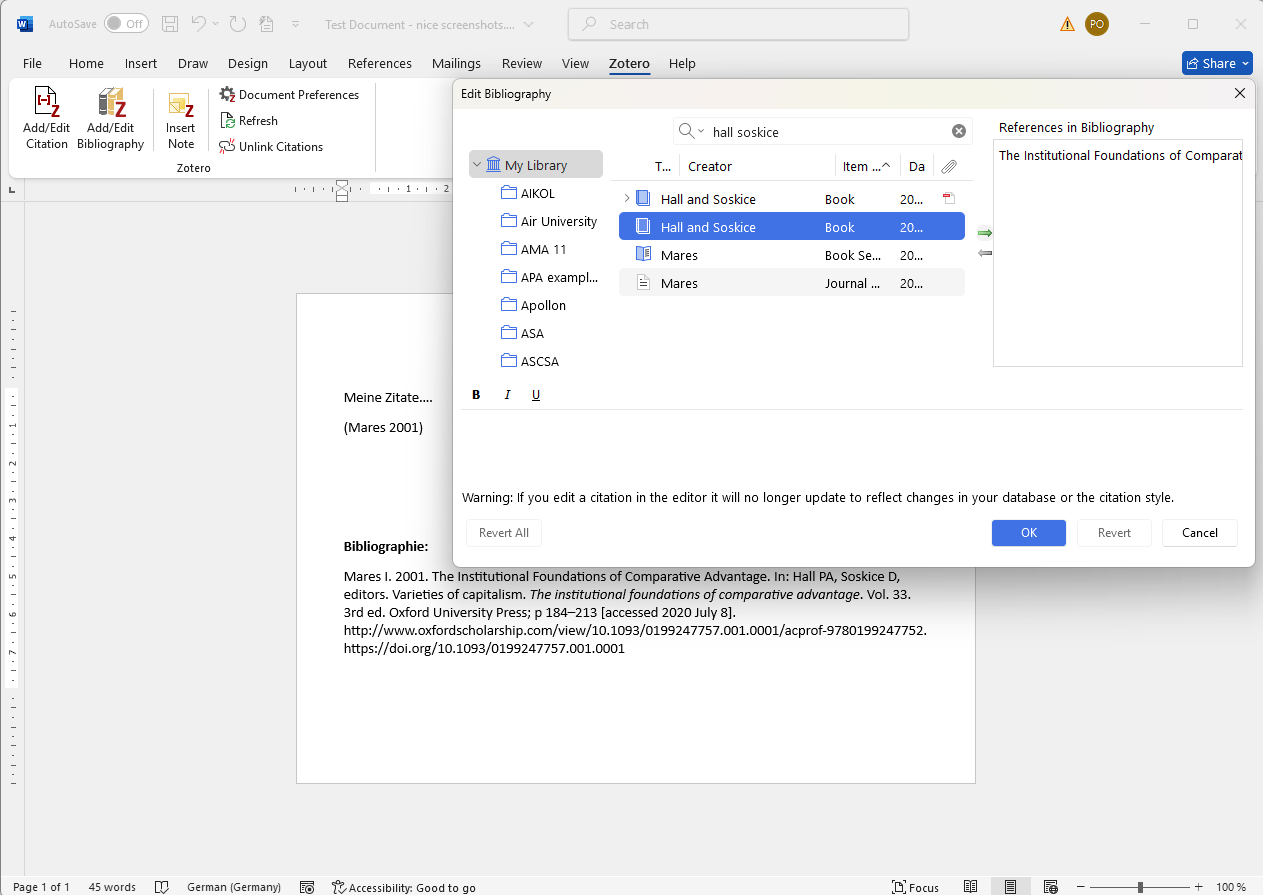
- In the window that opens, you can now search for the source and add it manually using the green arrow.
- Confirm your selection with 'OK'.
The ‘Add/Edit Bibliography’ button opens the ‘Edit Bibliography’ window, where sources can be added (or removed). Search for your source and use the green arrow → to add it. Confirm with "OK".
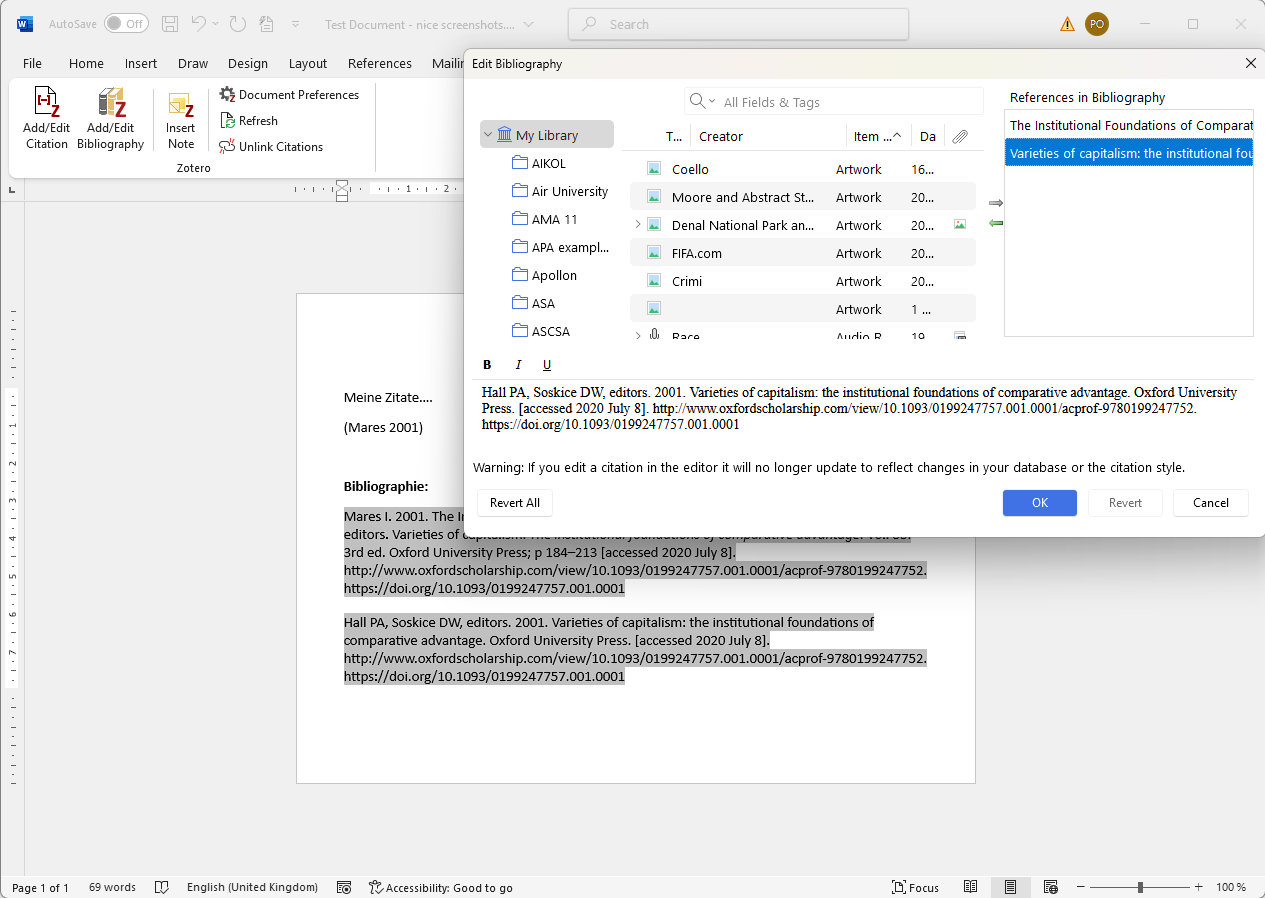
Success! The source has been added.
The 'Hall & Soskice' book now successfully appears in the bibliography.
Summary
Zotero does not (yet) know which sources belong together. However, using the method shown, sources can be easily added to an existing bibliography. Zotero is being actively developed though, so it is quite possible that this will be resolved automatically in the future.