
No products in the basket.
The top Zotero extensions I can't live without
Want to get even more out of Zotero? Here are my top recommendations for Zotero plugins.
Zotero’s search function is good at what it does: it finds the search term you’ve typed in. It doesn’t come up with ideas. If you search for ‘division of labour between humans and machines’, it won’t show you the paper that describes the same concept as ‘AI’s dual capacities for automating and informating work’.
This is exactly where ZotSeek comes in: the plugin searches the library by meaning rather than by spelling – and it does so without sending a single byte to an external source.
ZotSeek is a free, open-source plugin for Zotero that adds semantic search functionality. Instead of matching words, it converts each paper into a numerical representation of its meaning – known as an ‘embedding’ – and compares your query with these values.
The key factor is where this happens. The AI model is included in the plugin (around 130 MB) and runs on your own CPU within Zotero. No account, no API key, no credit, no cloud service. Once installed, ZotSeek will still work even if you unplug your computer from the internet.
ZotSeek is licensed under the MIT licence and has garnered just under 200 stars on GitHub since its first release at the end of December 2025.
The principle is simpler than it sounds. The model reads a text and outputs 768 numbers – a set of coordinates in a space where texts with similar content are clustered closely together. A query on ‘how humans and AI divide up the work’ and a paper on ‘automating and informating work’ end up close to one another, even though they share hardly a word.
During the indexing, these figures are calculated once per session and stored in a small database alongside your Zotero data. When you carry out a search, they are calculated for the query and the nearest neighbours are identified – even with large libraries, this takes well under a tenth of a second.
In practice, the simplest form is rarely the best. ZotSeek uses the following by default: hybrid search: Semantic search and Zotero’s own keyword search run in parallel, and the two lists of results are merged. You get the conceptual results, but you don’t lose the exact match if you do happen to remember the author’s name. Both the purely semantic and the purely keyword-based results are just one click away.
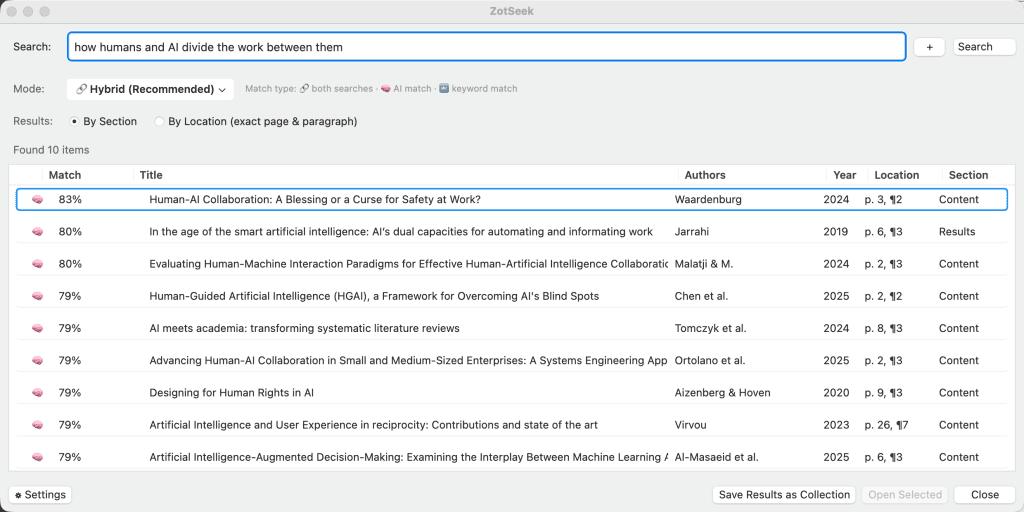
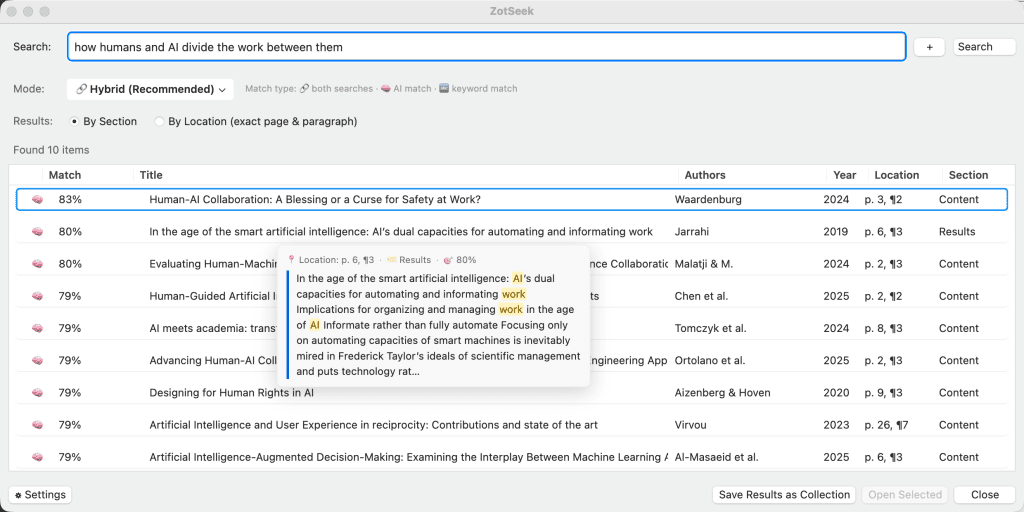
The search dialogue box. Formulate a question in everyday language: ‘methodological criticism of self-report scales’, ‘studies in which the intervention failed’. You can link up to four search terms using AND/OR – this way, you’ll find the intersection of two strands of literature rather than their union.
Find similar documents. Simply right-click on any entry. ZotSeek compares its stored embedding with everything else in your library. This is the quickest way to realise that two works from different collections have been putting forward the same argument for years.
From the PDF. Highlight a passage whilst reading, right-click, and you’ll see which documents in your library cover this concept. The document currently open is automatically excluded.
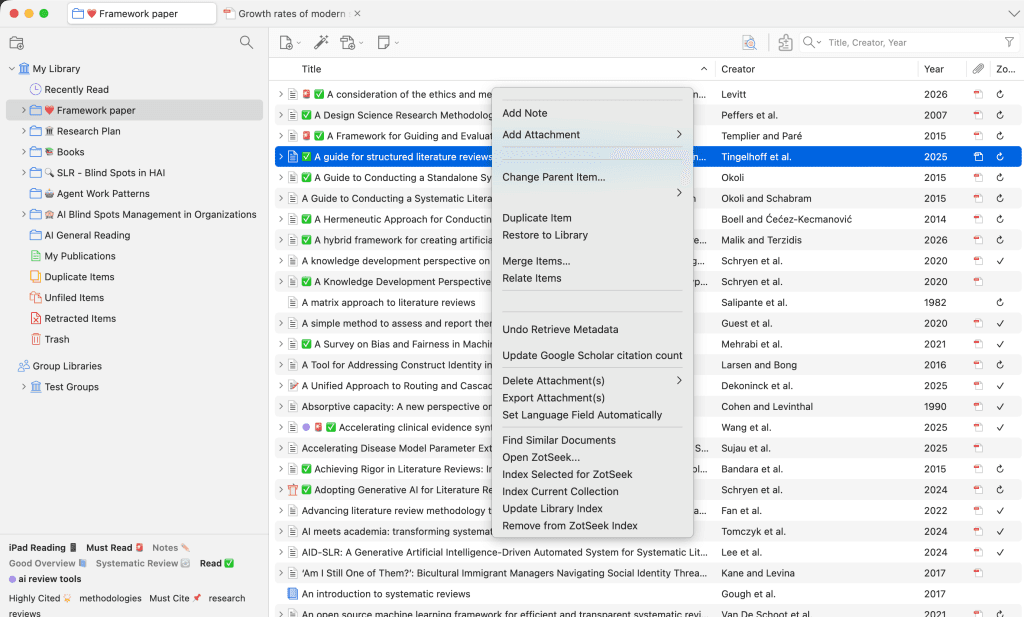
A result that says ‘this 40-page PDF is relevant’ is only half the answer. In mode Full Document ZotSeek keeps track of the source of each piece of text, so that every result includes its source reference.
Each result shows which section matched – Abstract, Methods or Results – so that you can distinguish a passing reference in the introduction from a specific finding. When you hover over a match, a preview of the exact passage appears with the search terms highlighted; clicking on it opens the PDF on the correct page and at the correct paragraph.
A completed set of results can be saved as a new Zotero collection at the touch of a button, or you can select individual results and add them to an existing collection.
Multilingual libraries: changing the model The default model is optimised for English. For German-language or mixed-language libraries, this is the most important setting of all – which is why you can change the model in the settings. There are four options to choose from:
| Model | Dimensions | Multilingual | Size | Suitable for |
|---|---|---|---|---|
| nomic-embed-text-v1.5 (default, included) | 768 | No | ~130 MB | Libraries with English-language collections or predominantly English-language collections |
| paraphrase-multilingual-MiniLM-L12-v2 | 384 | Yes | ~135 MB | Mixed libraries on less powerful hardware |
| multilingual-e5-base | 768 | Yes | ~110 MB | The obvious first choice for a German library |
| BGE-M3 | 1024 | Yes | ~570 MB | The highest standard of multilingual quality, for large, diverse Collections |
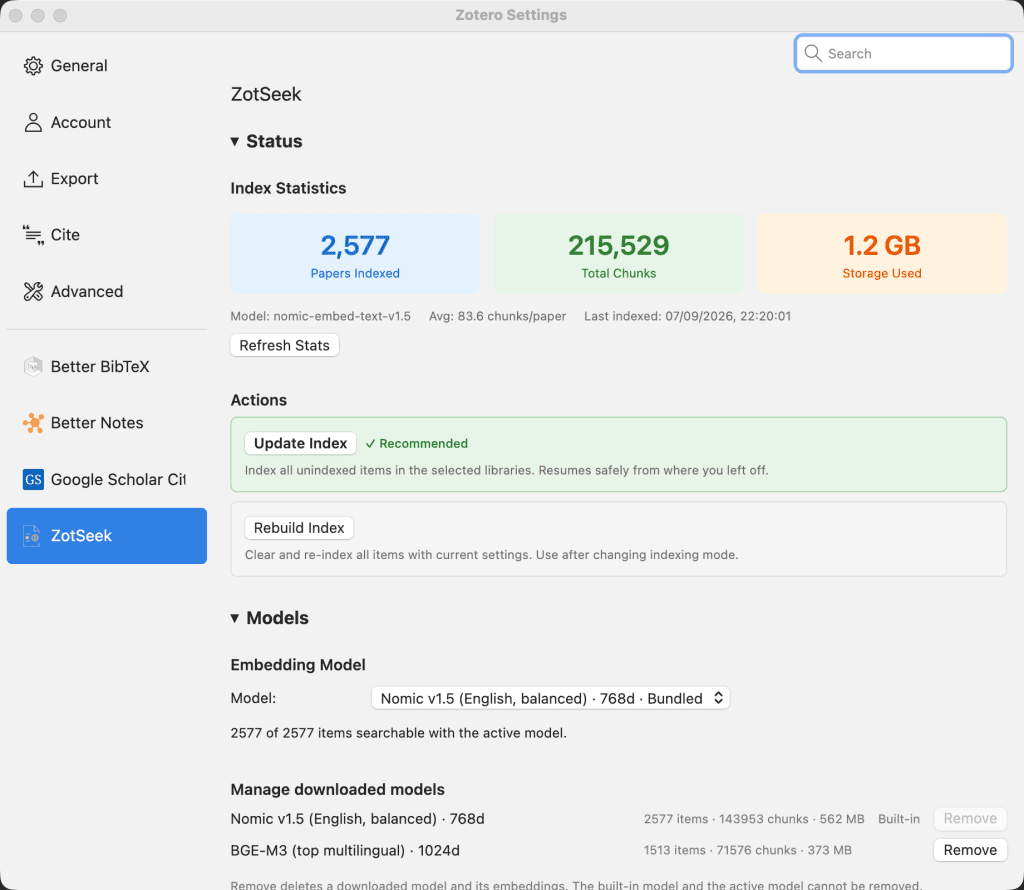
The three optional models are loaded once by Hugging Face and then work offline in exactly the same way as the one supplied. The switch is non-destructive: each model retains its own index, so switching back is possible immediately and does not require re-indexing. The settings show how many of your entries are searchable under the active model, and offer to re-index the rest in the background.
You decide what is indexed: just the title and abstract (quick) or the full text of the document (slower, but with the paragraph-level hits described above). New entries can be indexed automatically if desired. Group libraries can be included via the index scope. Entries with the tag zotseek-exclude get skipped.
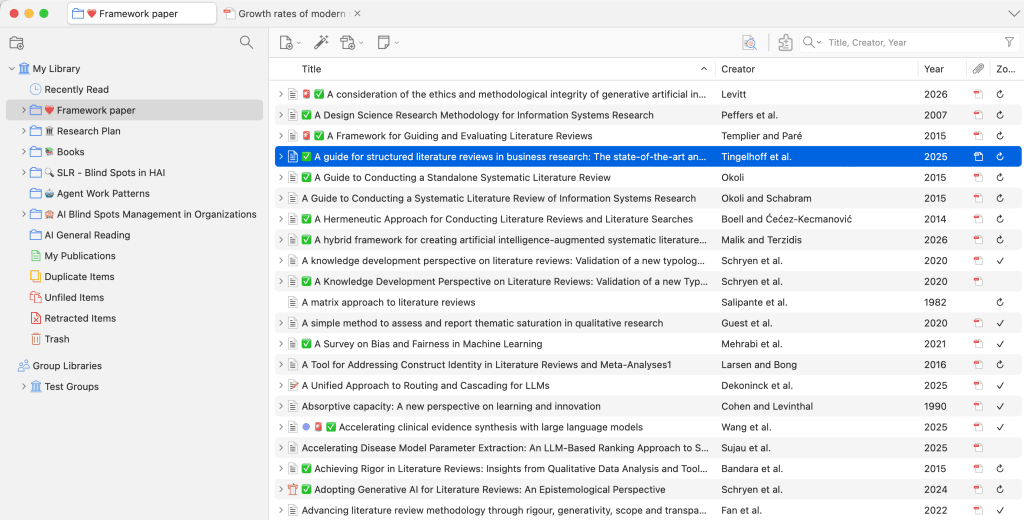
A column in the list of entries shows the status of each item: fully indexed, partially indexed, out of date, excluded or not indexed at all. Longer runs can be paused or cancelled; they save progress regularly and resume automatically if Zotero is closed whilst the process is in progress.
There are two limitations you should be aware of: The plugin is unusually large at around 130 MB because it includes the AI model, and indexing currently runs exclusively on the CPU – GPU acceleration is already built into the code, but is awaiting Zotero to switch to a Firefox ESR version with WebGPU support. For large libraries in full-document mode, this means that the initial indexing is best left to run overnight rather than in the background.
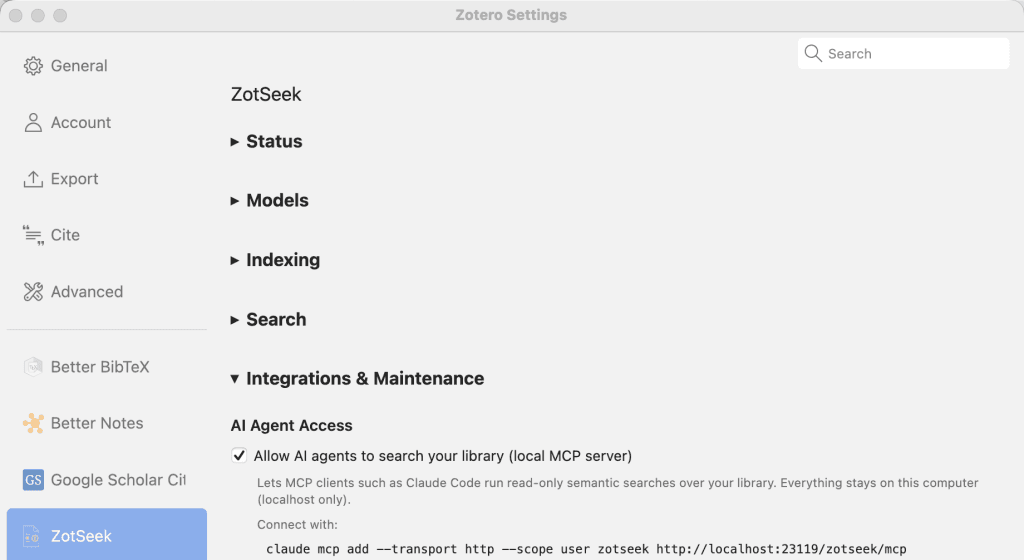
Since version 1.19, ZotSeek has included a MCP server Once enabled in the settings, any MCP-compatible client – Claude Code, Codex, Claude Desktop and others – can search the library directly:
claude mcp add --transport http --scope user zotseek http://localhost:23119/zotseek/mcpThat is all there is to install. The server runs within Zotero, which is already open, and provides three read-only tools (search, find_similar, index_status) and listens exclusively on localhost. The results contain links that open the work found on the relevant page – this means that an assistant’s statements can be verified against the source.
We have set out how ZotSeek compares with the external MCP servers in our overview MCP and Zotero: an overview of available tools .
The server is disabled by default; it cannot modify either the library or the index, and cannot be accessed from outside the computer.
The built-in engine runs on the CPU. Anyone with a GPU who is already running LM Studio, Ollama, llama.cpp or vLLM can redirect ZotSeek to that server and index content significantly faster. Each request is checked at runtime against an allow list of loopback addresses; external redirects are rejected rather than followed, and there is no setting that could turn this into a cloud call. The feature is opt-in and disabled by default.
This is where ZotSeek differs most significantly from AI assistants that rely on hosted models. No account, no telemetry, no usage tracking – and, in the default configuration, absolutely no network traffic at all, neither during indexing nor during searching. The embeddings are stored in a single file in the Zotero data directory. Uninstalling the plugin removes them.
Nothing. ZotSeek is free and open source under the MIT licence. There are no credits, no pricing tiers and no paid add-on features. Download the .xpi from the release page, install it going to Tools → Plugins → Install plugin from file, restart Zotero and right-click on a collection to select ‘Update Library Index’. Zotero 8 or later is required.
Semantic search is nothing new, and there are now several ways to integrate AI with Zotero – you can find an overview of these in our article AI plugins for Zotero. ZotSeek combines two things that rarely go hand in hand: a search that actually captures the meaning, and the certainty that your own, unpublished reading list never leaves your desk. No API key, no cost per query, no third parties involved.
Anyone who maintains a library that they can no longer keep track of in their head, and who cares about who else is reading it, should set aside an afternoon for indexing.
ZotSeek is being developed by José Fernandes, a PhD student whose research focuses on human-AI collaboration. Two other open-source tools he has developed also import Zotero libraries, though as command-line tools rather than plugins: citefact checks a finished manuscript against the full text of the sources cited – to ensure that every reference exists, every quotation is verbatim and every statement is supported by the passage to which it refers. pagebound converts each PDF in a library once and temporarily stores the structured output, including the page and bounding box for each paragraph, so that multiple tools and AI agents can read the same documents without having to pay for the conversion process again.
Want to get even more out of Zotero? Here are my top recommendations for Zotero plugins.

Sometimes in Zotero, you need to add sources to your bibliography that have not been directly cited, such as the book containing a specific chapter. Here, I will show you how to do this easily.
Do you need to remove all traces of Zotero to submit a paper or thesis? Here's how.
The Theisen citation style is standard at many universities, but deviations in the guidelines often lead to uncertainties. Find out more about this topic in this blog.