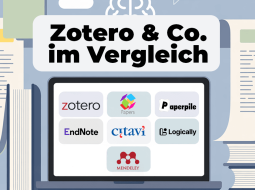


The combination of Zotero with AI-supported plugins opens up new possibilities for scientific research and analysis. I have already described one of these tools in my article ’The top Zotero extensions I can't live without'.
Here I present the best AI tools that can extend Zotero - including information on costs and supported models. And if you're technically minded, you'll also find a DIY guide at the end to build your own language model based on your library.
Table of Contents
Beaver: AI research assistant for Zotero
Zotero minimum version: 7.x+
Supported LLMs: OpenAI, Claude, Gemini, DeepSeek, and other providers via custom endpoints (e.g. OpenRouter)
Cost: Free version with 25 credits to try out; unlimited use possible with your own API key. Plus plan from $10/month with 100 credits.
Target group: Researchers with extensive libraries who are looking for deep integration into their Zotero workflow
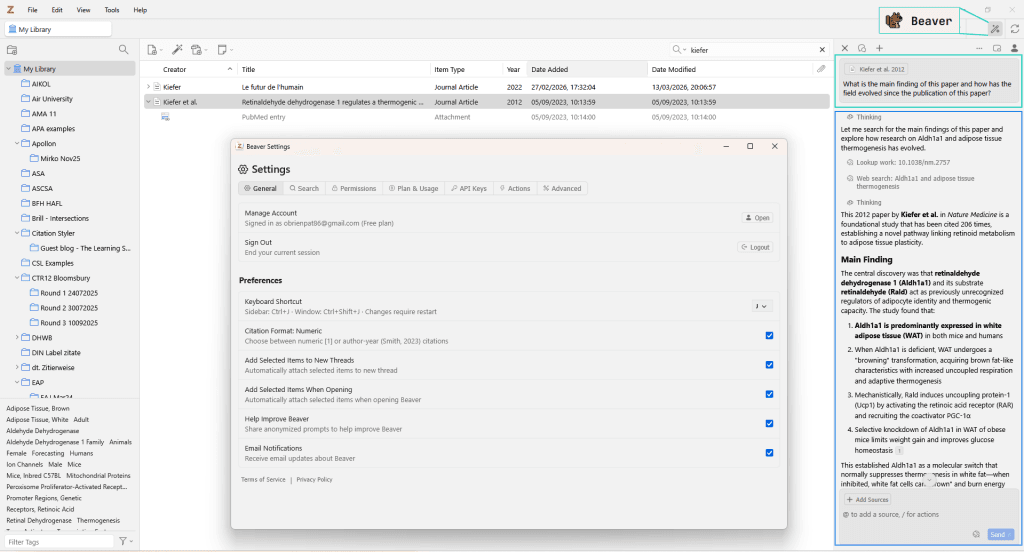
Beaver was developed by Joscha Legewie, Professor of Sociology at Harvard University. Joscha is also the developer of ZotFile – one of the most widely used Zotero plugins. His deep familiarity with Zotero is evident: the plugin integrates directly into Zotero as a side panel and allows you to search your entire library – including full-text searches within PDFs and page-specific source references.
The built-in reading assistant is particularly handy, as it explains highlighted text passages or formulas directly within the PDF. Furthermore, Beaver can search through over 240 million academic papers outside its own library and helps organise collections and tags, as well as filling in missing or incorrect metadata – with all changes only being applied once confirmed. Beaver also stands out thanks to its extensive Knowledge Base which makes getting started really easy!
Download & information: https://www.beaverapp.ai/
ZotAI
Zotero minimum version: 7.x+
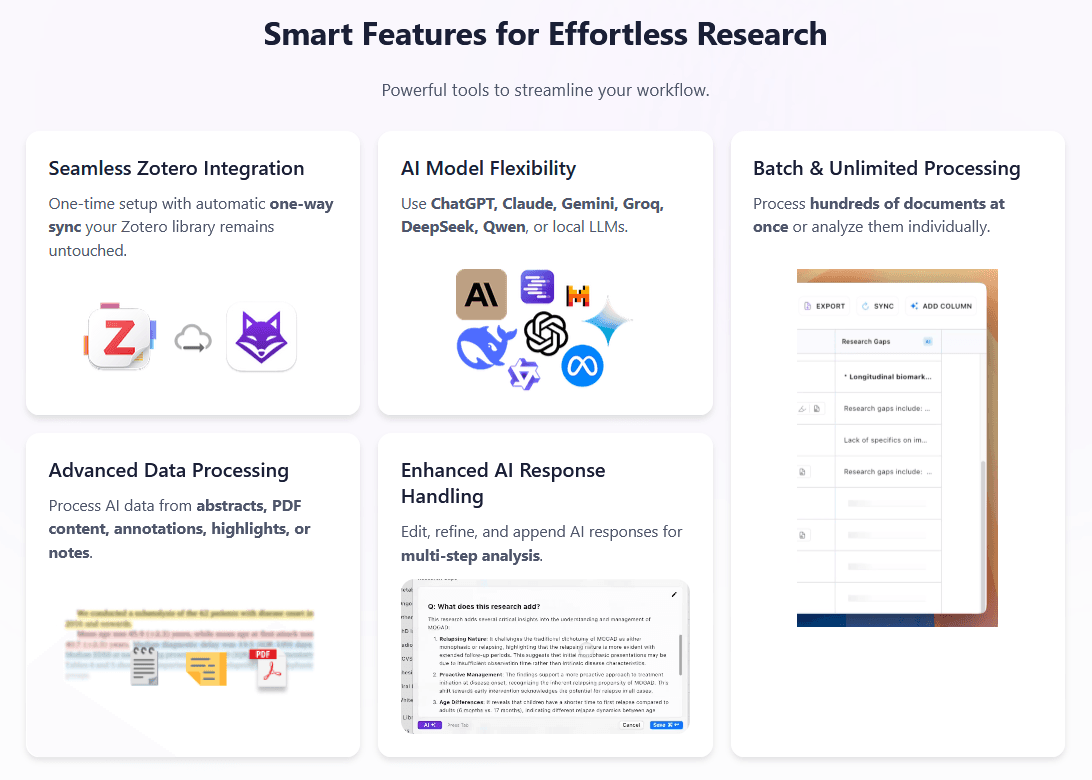
Supported LLMs: OpenAI API, Claude, Gemini, Groq, DeepSeek, Qwen oder andere LLM-Plattform nach Wahl
Cost: ZotAI can be tried out for free and a lifetime licence starts at €39.99. An API connection is required for use, so there are costs for ChatGPT etc. (Use Code CITATIONSTYLER for a 10% discount)
Target group: Academics with lots of notes and PDFs
ZotAI is a newer provider (2025) and has not only learnt from the providers mentioned above, but has also extended them. ZotAI is installed, and your Zotero database is then accessed locally. This also allows you to access all PDFs, comments and notes and can therefore help you analyse and answer questions much more deeply and effectively. ZotAI also stands out because the export function works great with Excel, but also with tools such as Obsidian and Notion, which are being used more and more in the scientific community.
Download & information: ZotAI for Zotero (receive a 10% discount with code CITATIONSTYLER)
PapersGPT: interactive PDF Analysis
Zotero minimum version: 6.0+
Supported LLMs: ChatGPT-3.5+, Claude, Gemini, Llama, Phi, Gemma, Mistral...
Cost: free; needs ChatGPT Plus subscription
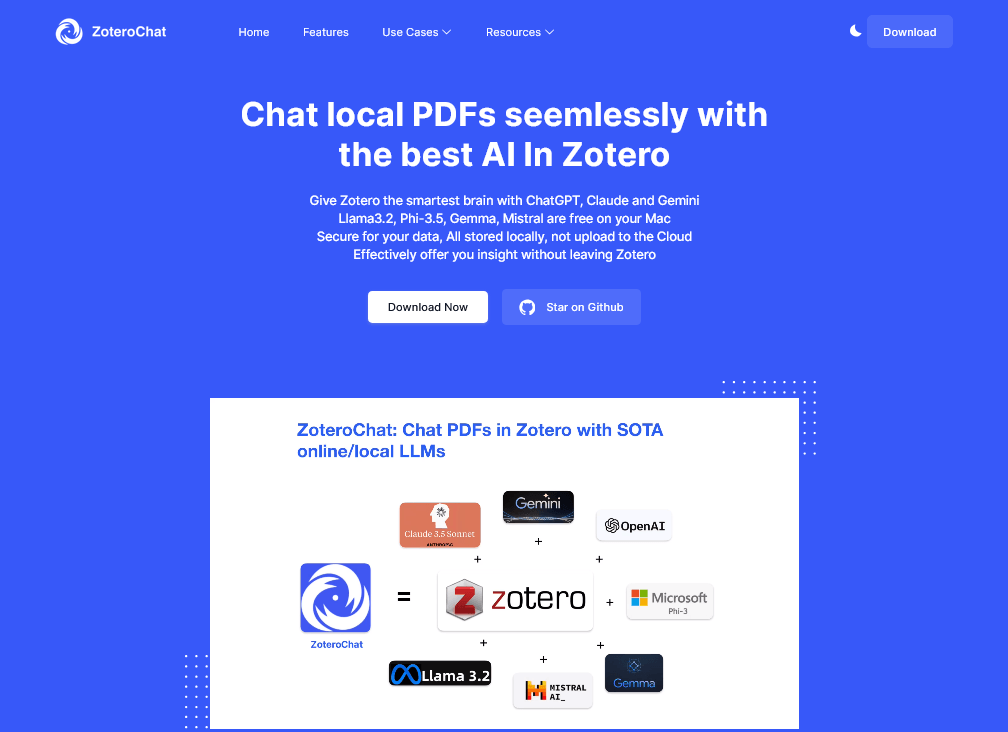
PapersGPT (formerly Zotero-ChatPDF or ZoteroChat) is based on zotero-gpt and enables conversation-based analysis of PDFs directly in Zotero. Researchers can ask specific questions about document content without having to read through the entire document, which saves time and helps to find key information more quickly.
PapersGPT also stands out because it supports a large number of LLMs: ChatGPT, Gemini, Claude Sonnet, Meta Llama, Microsoft Phi, Google Gemma and Mistral. The extension also offers completely free LLMs that can be run locally. Unfortunately, this is currently only possible for Mac users.
Download & information: https://www.papersgpt.com/ or directly under github.com/papersgpt/papersgpt-for-zotero
AskYourPDF: Ask specific questions to PDFs
Zotero minimum version: 6.0 or higher
Supported LLMs: ChatGPT, Claude
Cost: Free version with limited access; requires ChatGPT Plus subscription for full access
AskYourPDF is a tool that allows targeted communication with the content of saved PDFs. Researchers can ask questions about the PDF content and have relevant passages displayed, which is particularly helpful for complex texts. This makes it easier to work on specific topics and large PDF files. AskYourPdf is also available as a mobile phone app and as a browser extension (Chrome) and can therefore provide a comprehensive solution.
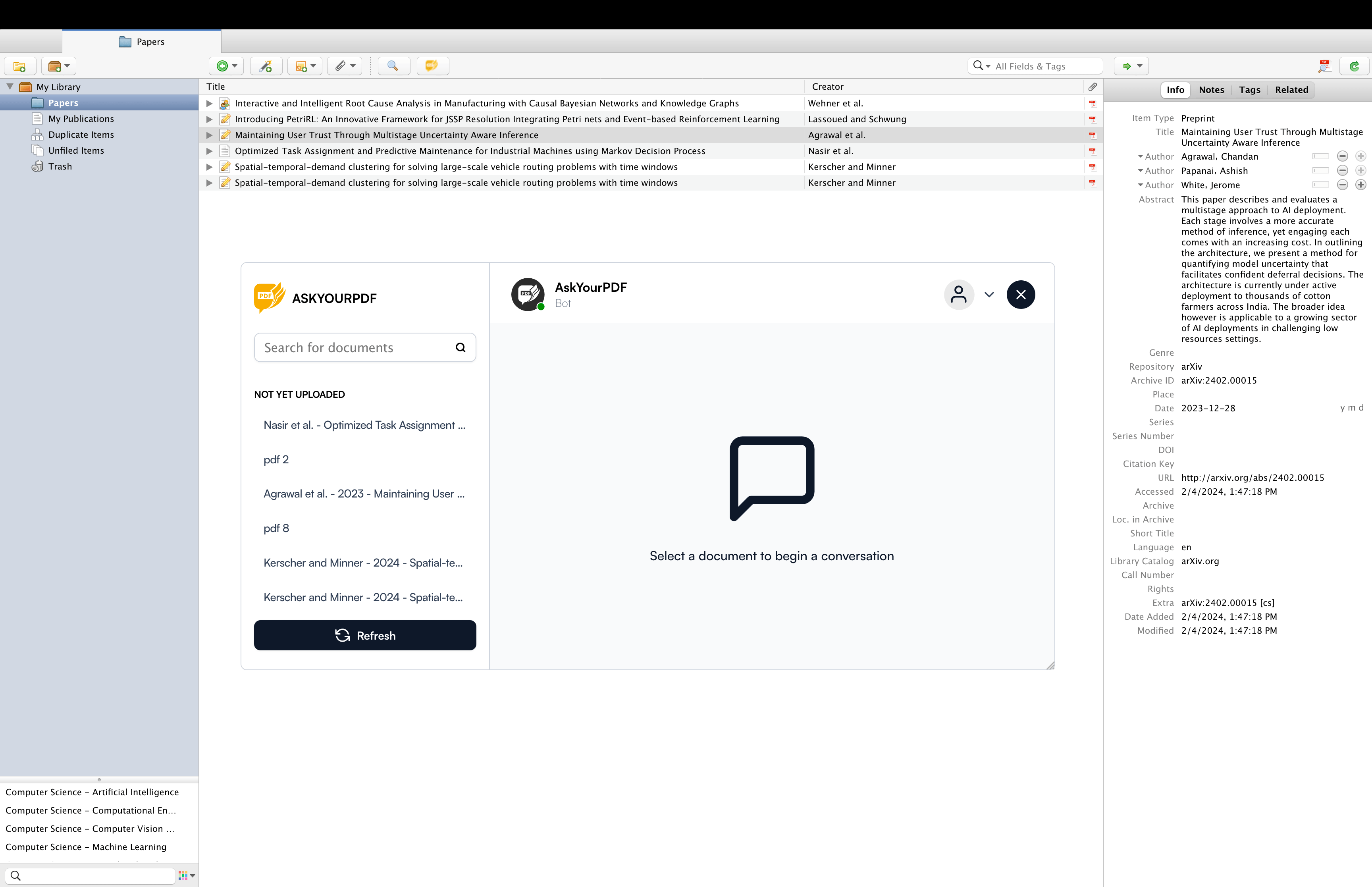
Download & information: AskYourPdf for Zotero
Scite for Zotero - Enrich your library
Zotero minimum version: 6.0 or higher
Supported LLMs: Scite uses its own NLP algorithms and does not support external LLMs
Cost: Partly free of charge, but extended functions require a paid subscription
Scite is a platform for finding and evaluating scientific articles via Smart Citations. Smart Citations allows users to see how a publication has been cited by providing the context of the citation and a classification describing whether it provides supporting or contrasting evidence for the cited claim. Scite can therefore help relevant papers, to rate an article's quality and inform about new publications in your field of research. Scite for Zotero Plugin can do this directly in Zotero. On the one hand, you can see the metadata classification of a paper and then via a right click on "Scite Report" will be redirected directly to Scite.
Scite is like a ChatGPT that you can ask questions. It shows you which papers it has accessed and what it ‘thinks’ about them. You can ask questions like ‘What is the evidence for ginger tea for colds?’ and it will tell you. I would definitely recommend using the trial to see if you like Scite.

Download & information: https://github.com/scitedotai/scite-zotero-plugin
ARIA: Intelligente Recherche und Analyse (nicht mit Zotero 8 kompatibel)
Zotero minimum version: 6.0 or higher
Supported LLMs: ChatGPT-4, ChatGPT-4 Turbo
Cost: Free of charge; however, a fee for ChatGPT Plusis needed for full functionality
The AI Research Assistant, A.R.I.A. for short, extends Zotero with AI-supported search and analysis options. Particularly useful for extensive libraries, ARIA allows you to ask specific questions of the database and receive context-based answers. With OpenAI-GPT-4, the plugin provides quick orientation for specific topics.
Note: the plugin is currently not updated for Zotero 8.
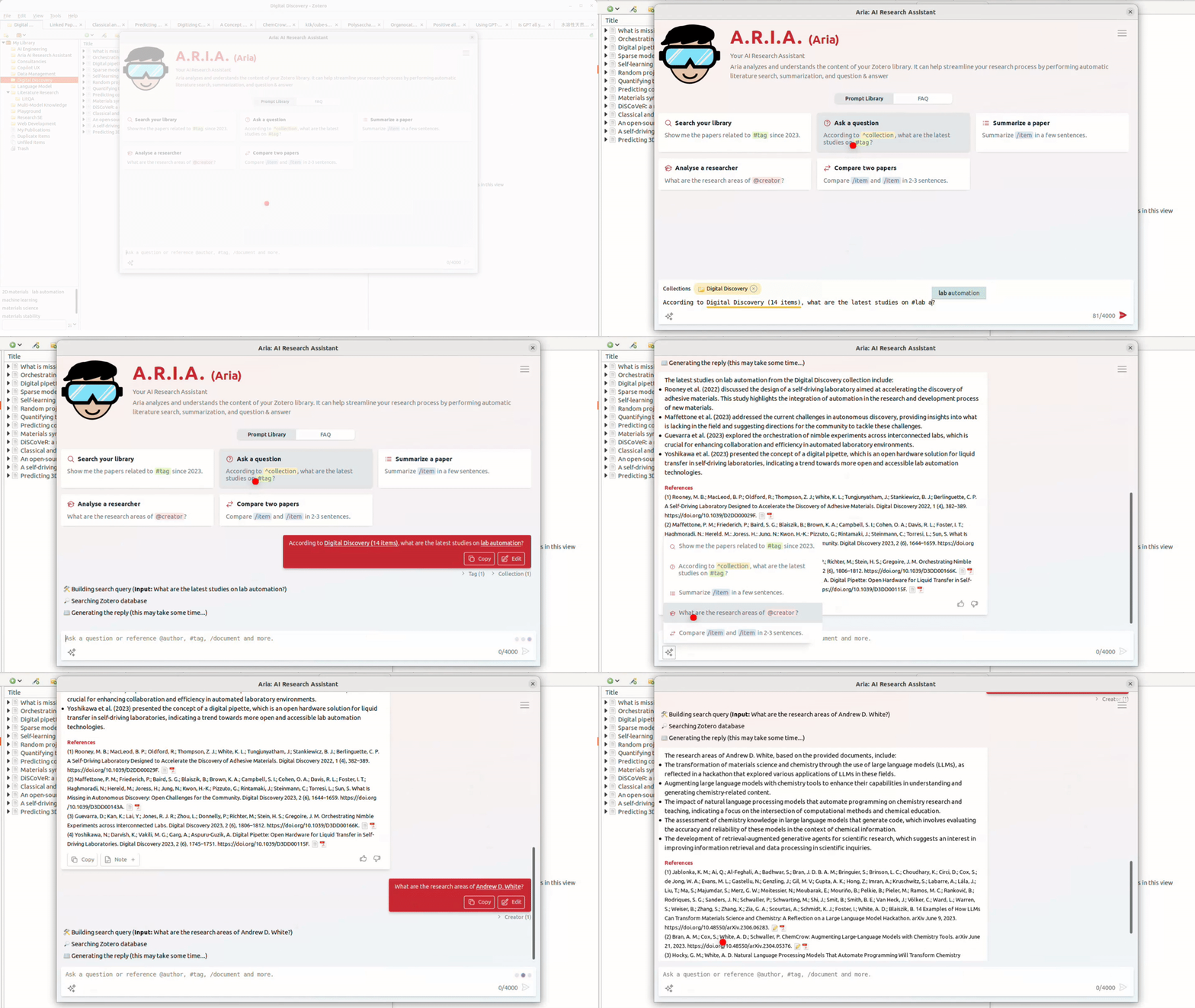
Download & information: A.R.I.A. (Aria) - Your AI Research Assistant
Zotero AI Bar
Zotero minimum version: 7.0 or higher
Supported LLMs: Claude, Deepseek, Doubao, Gemini, GLM, Grok, Kimi, Qwen, Wenxin, Yi
Cost: Free; however, depending on the model used, a premium subscription is required for API access.
The Zotero AI Bar provides a sidebar that allows users to perform AI-powered tasks such as summarising research papers, translating texts, and answering questions based on the content of your PDF library.
Download & information: Zotero AI Bar
AIdea
Zotero minimum version: 7.0 or higher
Supported LLMs: ChatGPT, Gemini (soon)
Cost: Kostenlos; je nach verwendendem Model wird aber Premium Abo für API Zugang benötigt
Chat directly with AI in the Zotero sidebar – available in both library view and PDF reader. Ask questions, get summaries, and interact seamlessly with your research.
Download & information: AIdea
DIY guide for your own LLM based on the Zotero database
Required LLM Tools: OpenAI API or other LLM platform of your choice
Supported LLMs: 6.0 or higher
Cost: Chargeable depending on the platform used; API fees for GPT-4 may apply
Target group: Researchers with advanced technical knowledge (Python)
For specialised requirements, it is possible to create your own LLM based on your Zotero library. A detailed guide by Emmett McFarlane on Medium describes how to create and set up a customised AI model based on your own Zotero database.
from pyzotero import zotero
from openai import OpenAI
import chromadb

# Initialize ChomaDB
chroma_client = chromadb.PersistentClient(path="chromadb")
collection = chroma_client.get_or_create_collection(name="zotero_papers")

# Initialize LLM client
llm_client = OpenAI(
    base_url=os.environ["LLM_SERVER_BASE_URL"],
    api_key=os.environ["LLM_SERVER_API_KEY"],
)

# Initialize Zotero client for user (use group id and "group" for group libraries)
zot = zotero.Zotero(
    library_id=os.environ.get("ZOTERO_USER_ID"),
    library_type="user",
    api_key=os.environ.get("ZOTERO_API_KEY")
)
Guide: DIY: Ground LLaMa on your papers from Zotero
Summary
With the AI plugins presented, Zotero becomes a platform for AI-supported literature management. The tools enable efficient analyses, citation evaluations and interaction with PDF content, making everyday scientific work easier. Researchers can retrieve specific information, recognise relevant literature and even create their own language model - a comprehensive extension of traditional literature management.