
No products in the basket.

Citing correctly with Zotero
Literature research and citation according to German citation style done right, thanks to Zotero and CSL citation template. Here I show you how to do it.

Anyone who works in academia is familiar with the problem: your Zotero bibliography keeps growing and growing – yet finding the truly relevant passage remains a laborious task. AI tools promise to provide a solution, and there is now a whole range of AI plugins and solutions, which enhance Zotero with artificial intelligence. Also MCP-based workflows offer exciting opportunities to integrate Zotero with external AI systems such as Claude or ChatGPT.
However, most of these approaches have one drawback: you have to leave Zotero and work in a different window, a different app, a different context. This is exactly where Beaver is different – an AI research assistant that lives directly in Zotero as a side panel and doesn’t interrupt your usual workflow.
Beaver was developed by Joscha Legewie , Professor of Sociology at Harvard University. Legewie is no stranger to the Zotero community: he is also the developer of ZotFile, one of the most widely used Zotero plugins of all time (4,300 stars). You can tell that Beaver has a deep understanding of Zotero – the integration is seamless.
The plugin opens as a sidebar directly within Zotero (shortcut: Cmd/Ctrl + J) and combines two core components: an advanced research agent that intelligently searches your library and synthesises results, and native Zotero integration that recognises your current reading context – right down to the page you have currently open.
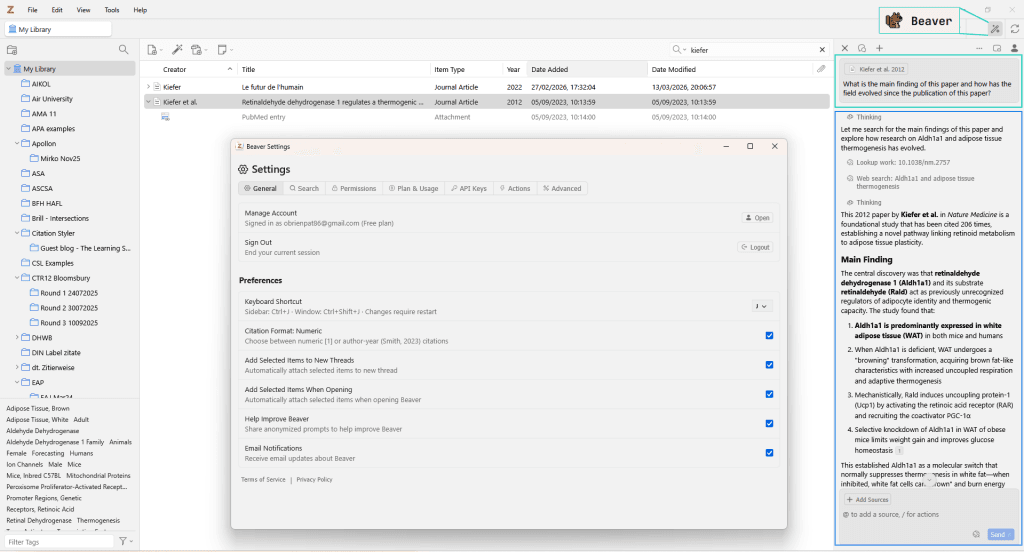
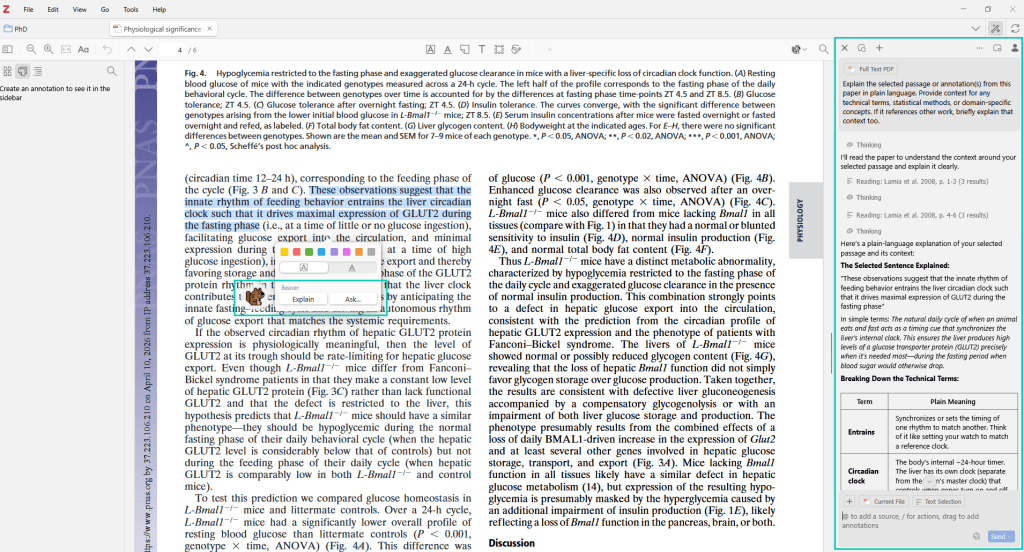
What makes Beaver special is that it doesn’t just work at the library level, but is also integrated directly into Zotero’s PDF reader. When reading a paper, you can ask questions at any time without leaving the document:
This becomes particularly powerful when you factor in the context of your own library. For example, you can ask questions directly from within the PDF, such as: “How does this finding compare with the other studies in my collection?” or “Which works in my library contradict this thesis?” – all without leaving the reader.
Beaver can also create annotations: if desired, it can highlight key findings or add notes that, for example, compare the results of the current paper with related studies in your own library.
In addition to its role as a reading assistant, Beaver functions as a search engine for your own collection of literature. Unlike a simple keyword search, Beaver takes an ‘agent-based’ approach: it interprets research questions, combines various search strategies – from metadata queries and semantic search to full-text analysis – and refines its results iteratively.
Typical questions might include:
The answers include precise source references with page numbers that can be clicked on directly – making every statement verifiable.
Beaver not only searches its own collection, but also provides access to over 240 million academic papers outside its own library. However, its own curated collection always remains the primary source – external results are only used to supplement this or when explicitly requested. For example, I asked Beaver what had been going on since I completed my PhD in 2015. Based on my collection, I was then presented with a truly fascinating summary of the most important topics and papers...
As well as helping with research, Beaver also assists with the often tedious task of library maintenance. This is where the depth of the Zotero integration really comes into its own:
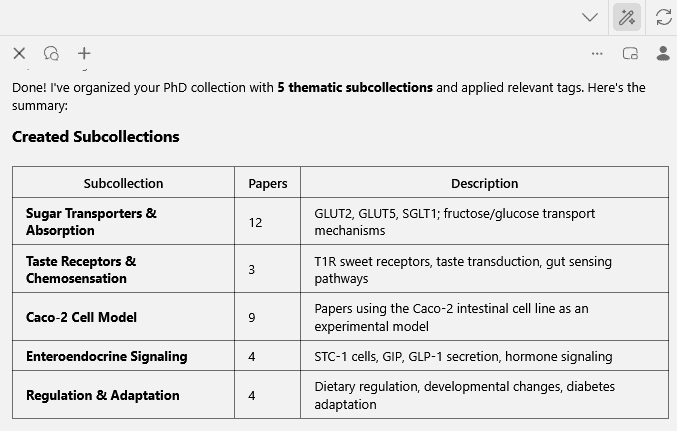
Automatic tagging and organisation: You can ask Beaver to automatically sort newly added papers into appropriate collections, assign tags, or categorise uncategorised entries by topic. For example: “Organise all papers added this week into appropriate collections” or “Tag my new entries as ‘to-read’”. For recurring tasks, you can define so-called actions – reusable prompts that can be accessed via keyboard shortcuts or the slash menu.
Complete missing metadata: Missing DOIs, incorrect publication years, empty abstract fields – Beaver can identify and resolve such issues. For example, it can find all entries without a DOI and look up the correct DOIs, or generate an abstract for entries where one is missing.
⚠️Important: By default, all changes require confirmation. Beaver shows you what it wants to change, and nothing is applied without your consent. If you wish, you can switch this behaviour to automatic application – you remain in control.

Beaver supports a wide range of AI models: OpenAI, Anthropic (Claude), Google Gemini, DeepSeek and other providers via custom endpoints (e.g. OpenRouter). This means maximum flexibility when choosing your preferred model.
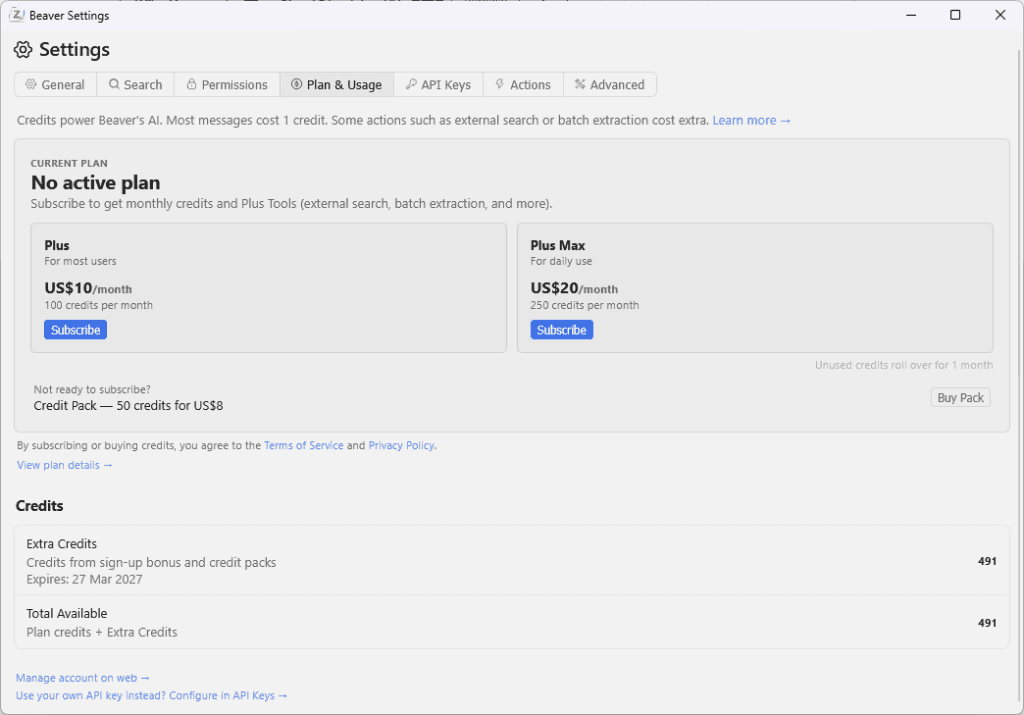
The pricing model is fair:
Beaver emphasises the protection of user data: data is not used for model training without explicit consent. Local storage options are currently being developed. The user’s own library remains the primary source of knowledge – not generic web results.
For anyone who wants to connect Beaver to external AI tools: Beaver offers its own MCP server . This means you can also access your own Zotero library from Claude Desktop or other compatible clients – another building block for flexible research workflows.
What makes Beaver special isn’t its individual features – many AI tools can summarise texts or answer questions. The key advantage is, where Beaver works: directly within Zotero, directly within the PDF, directly within your own workflow. No switching between windows, no copying and pasting into external chatbots, no loss of context. Beaver knows which page you’re currently reading, knows your library, and can link the two together.
If you have an extensive Zotero library and are looking for an AI assistant that integrates seamlessly into your existing workflow, you should give Beaver a try.
Links:
Literature research and citation according to German citation style done right, thanks to Zotero and CSL citation template. Here I show you how to do it.

With the update to Zotero 7, the popular ZotFile add-on is no longer compatible. But don't worry! There are 2 promising alternatives that fill the ZotFile gap. In this blog post, you can find out what has changed in Zotero 7 and which add-ons will help you to continue managing your PDFs efficiently.

How the cite-non-english plugin replaces Juris-M and, for the first time, enables clean multilingual citations, especially CJK citations, directly in Zotero.

Zotero 7 is finally here! Performance improvements, a new look and much more. Find out all about the latest features here.