Anyone writing a PhD thesis, a master’s dissertation or an essay at the University of Manchester (UoM) will inevitably have to use the Harvard-Manchester citation style. And anyone who has ever tried to format dozens (or hundreds) of references by hand knows just how time-consuming it can be.
In this post, I’ll show you why the Harvard-Manchester citation style has its pitfalls, why the existing free options aren’t enough, and how a specially developed CSL citation style for Zotero can save you days of formatting work.
What makes the University of Manchester’s Harvard style so distinctive?
“Harvard” is not a standard citation format. It is a family of author-date citation conventions, and practically every university interprets the rules differently. The University of Manchester has, via their university library , has published its own detailed referencing guide, which sets out precisely how in-text citations, bibliographies and individual source types should be formatted.
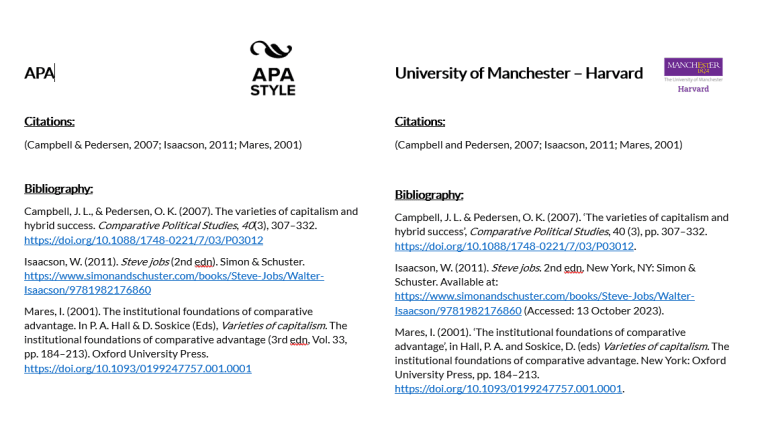
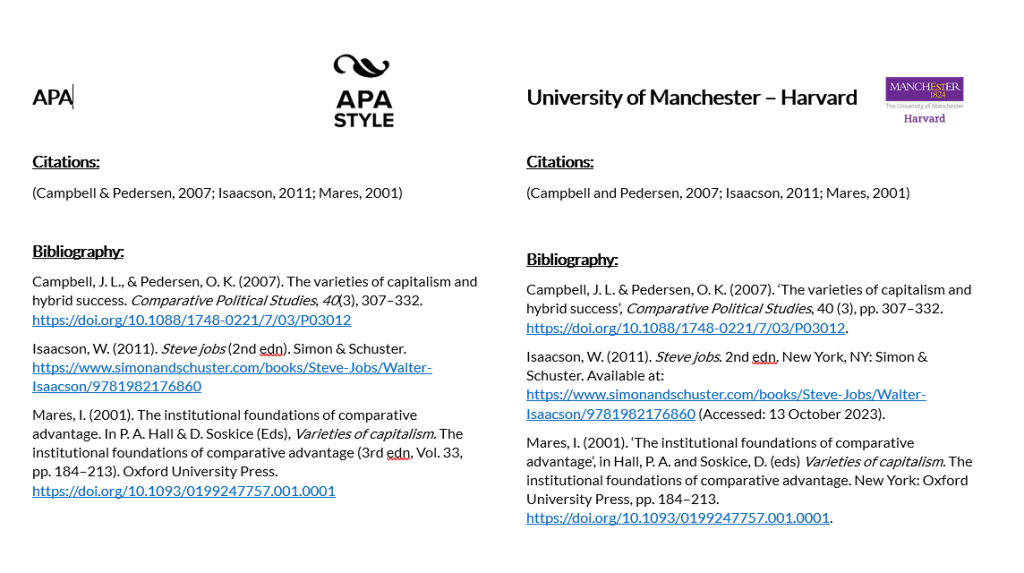
Some details that set the UoM-Harvard style apart from others: the way authors’ names are written in the reference list (standard upper and lower case rather than all capital letters), specific punctuation rules for titles and editions, and particular conventions regarding “Available at:” and “(Accessed:)” for online sources.
Getting all these details right – consistently, for every single type of source – is precisely where students lose time and marks.
At first glance, the two citation styles look identical, but the devil is in the detail. And it is precisely these differences that determine whether or not marks are deducted.
You decide...
Without the correct citation style, most UoM students find themselves in one of two situations:
Option A — use a ‘nearly matching’ style and tweak it manually. You select a generic Harvard style, generate the reference list, and then go through each individual reference to adjust the punctuation, capitalisation, ‘Available at’ formatting and other UoM-specific details. For a dissertation with 80 or more references, this can easily take a whole day or more.
Option B — format everything manually from the start. Some students abandon automation altogether and type in every reference manually, entry by entry, following the UoM guidelines. This is even more time-consuming and prone to errors.
In both cases, valuable time is wasted on formatting that should really be spent on research and writing.
The solution: a dedicated Harvard-Manchester citation style for Zotero
Automatic formatting for every source type. Books, journal articles, book chapters, websites, conference papers, theses — the style applies the correct formatting for each type in accordance with UoM conventions. You add your sources to Zotero, insert citations as you write, and generate your reference list with a single click.
Continued support. Citation guidelines change, and so does Zotero. As an active CSL developer who has created over 1,000 styles, I have the necessary expertise and will keep this style up to date as soon as the University of Manchester publishes revised guidelines or a Zotero update requires an adjustment.
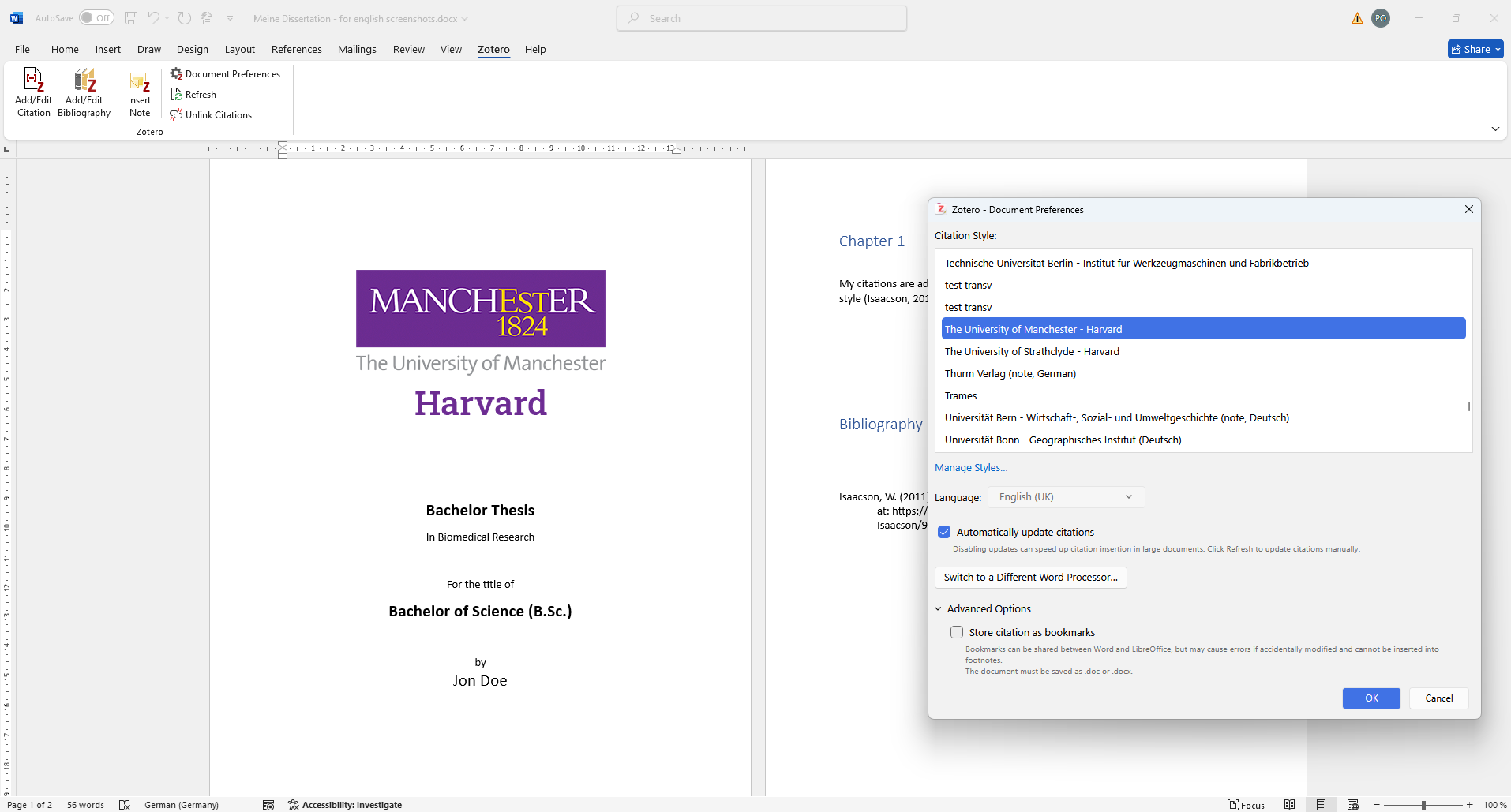
Install the style — in Zotero (or your preferred CSL-compatible reference management software).
Write your paper — and insert citations using the Zotero Word plugin.
Generate your bibliography — with one simple click.
Check and hand in — Check your references one last time and hand in your work.
Detailled installation instructions and a sample library containing citation examples is included with every purchase.
What students say
„At first I thought that £40 wasn't worth it, but then I realised how it saved me days of work and point deductions caused by erroneous citations were significantly reduced."
„Top notch product and service! I had a question about the style and had an answer within minutes!“
„I’m so glad I found this style! I did the mistake of not taking care of my citations properly and had only one day left till hand-in. Bought, installed and I had my citations and bibliography!“
And if you’re looking for a citation style for a different university or other guidelines, take a look at my shop or request a bespoke citation stylethat exactly matches your requirements.
Learn how to create and customise a CSL citation style in Zotero or Mendeley step by step – including tips on the style editor, XML code and common sources of error.
With the update to Zotero 7, the popular ZotFile add-on is no longer compatible. But don't worry! There are 2 promising alternatives that fill the ZotFile gap. In this blog post, you can find out what has changed in Zotero 7 and which add-ons will help you to continue managing your PDFs efficiently.
Master the art of presenting statistical results in your thesis. Learn how to present your results clearly, concisely and in a way that is easy for your readers to understand.