
No products in the basket.

German citation style: Cite correctly with Zotero
Literature research and citation according to German citation style done right, thanks to Zotero and CSL citation template. Here I show you how to do it.
The reference manager Zotero offers a variety of citation styles, but sometimes you need a special style that you have to install manually. This may be the case if you receive a customised citation style from a publisher or bought a style in my shop . In the following guide you can find out how to install a .csl file in Zotero and apply it to your document.
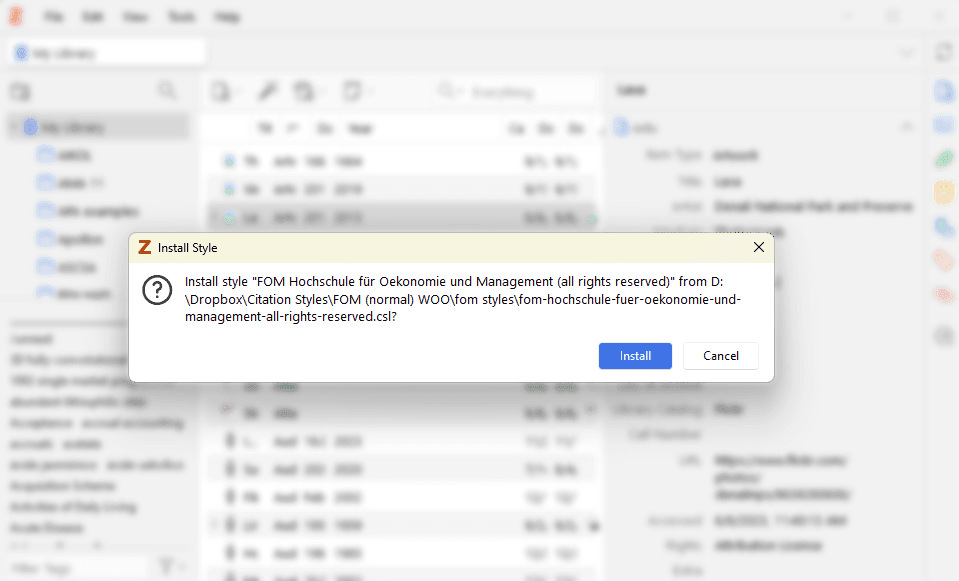
The simplest method is to open the .csl file directly:
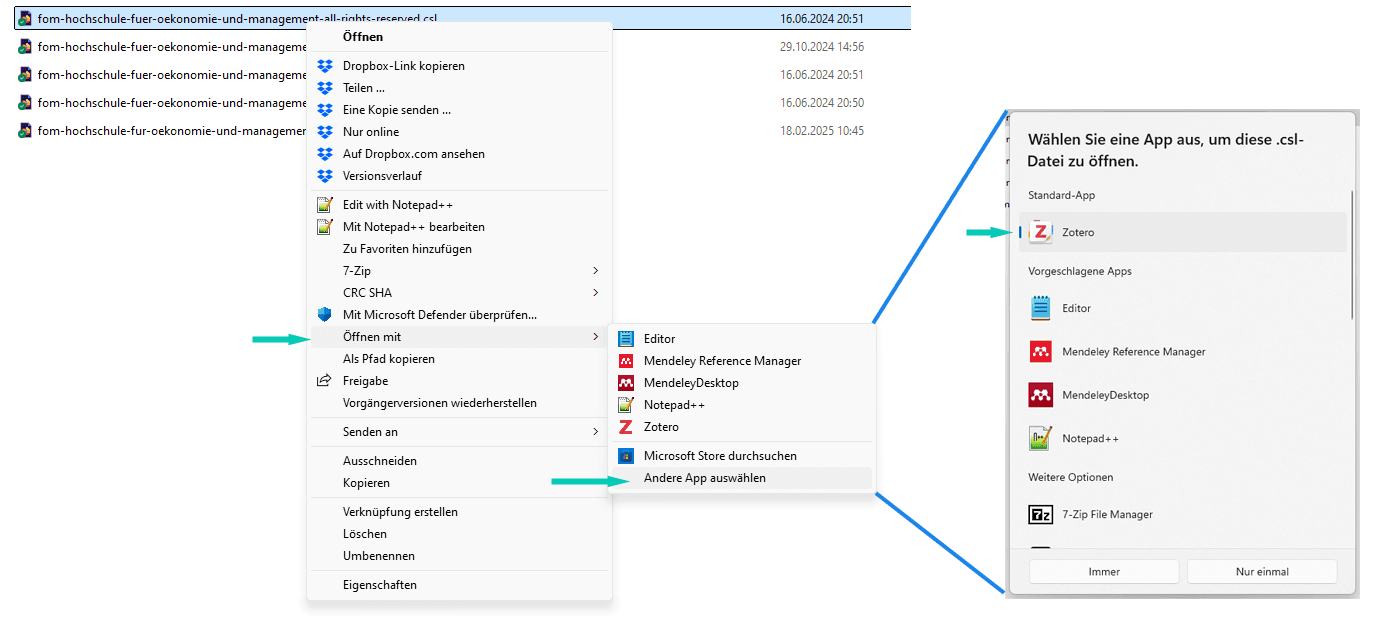
If Zotero does not recognise the file when you double-click it, you can open it explicitly with Zotero:
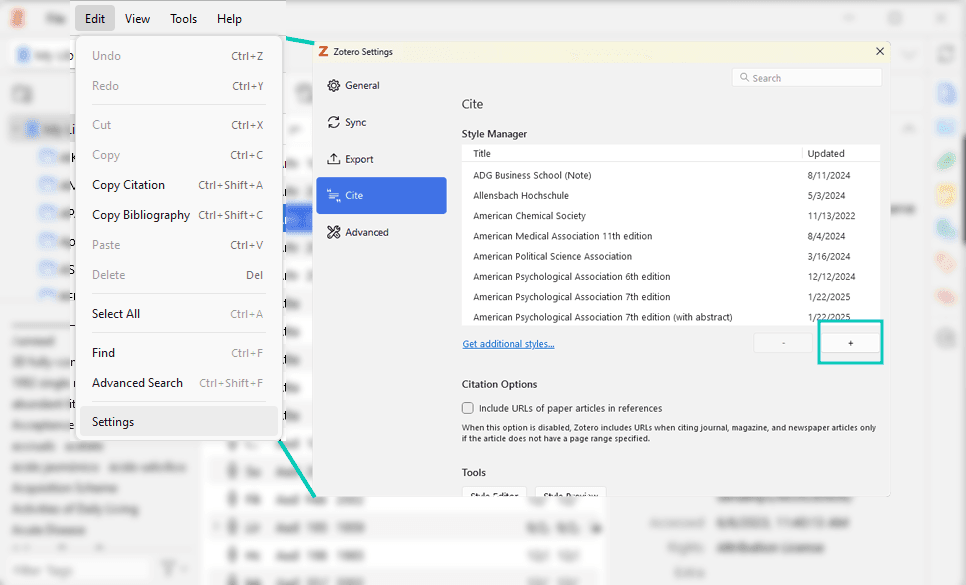
If the first two methods do not work, you can import the style manually into Zotero:
The citation style should now be installed. To apply it to your document, you need to do this directly in your Word file. To do this, simply go to the Zotero tab in Word and select the style under Document preferences/Document settings.
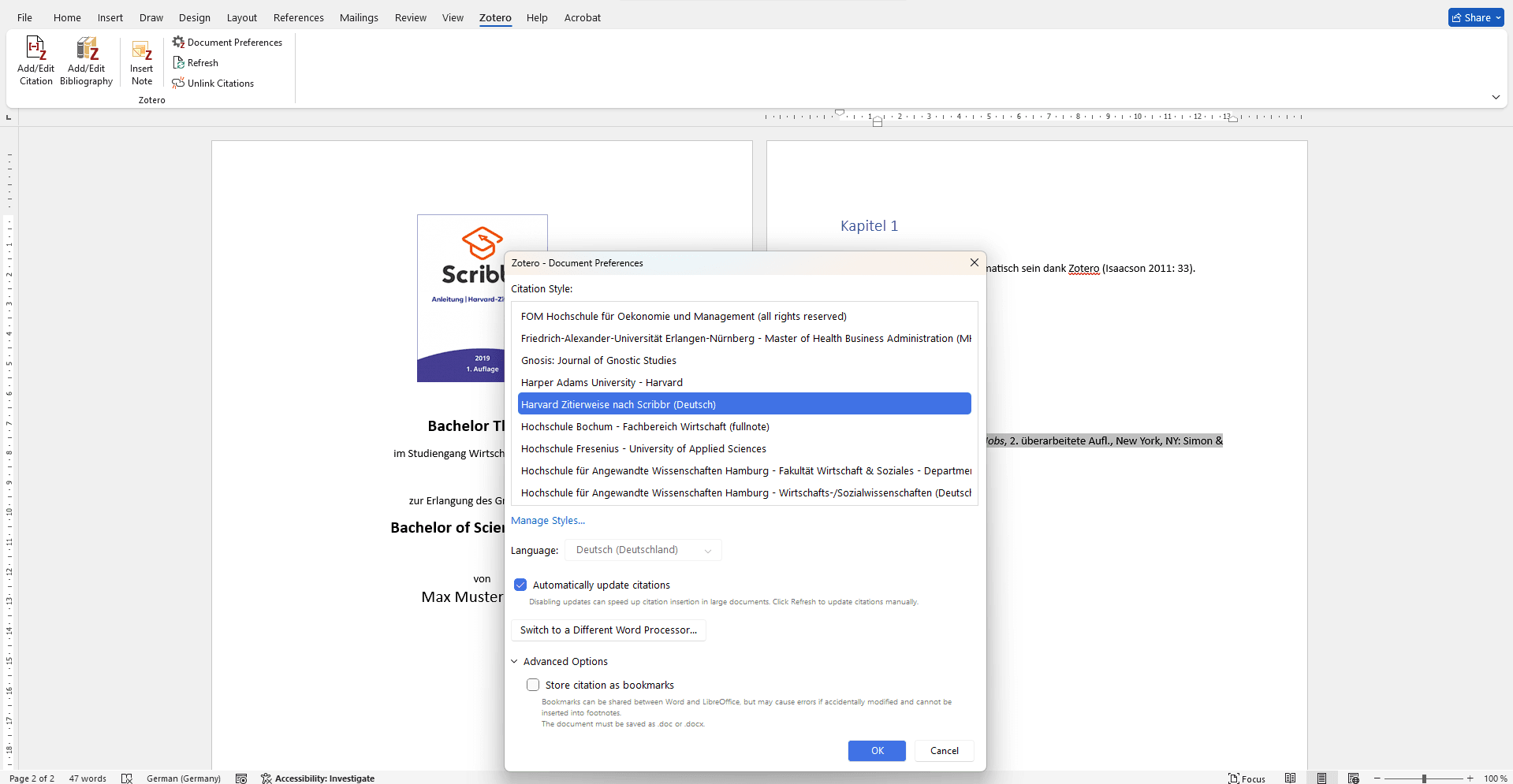
Installing a custom .csl citation style in Zotero is easy if you know the right steps. If one method doesn't work, there are alternative ways to import the style. If you have any problems with the installation, you can always contact me at contact me!
Literature research and citation according to German citation style done right, thanks to Zotero and CSL citation template. Here I show you how to do it.
With the Zotero plugin ‘Better Authors’ you can display the last author/PI in your library. Find out how this function makes your scientific research for specific labs easier and provides a better overview.
You have received the Zotero message ‘You have made changes to this citation after it was created by Zotero. Do you want to keep your changes and prevent future updates?’ from Zotero? Here you can find out how to solve this problem.
Zoplicate is a powerful Zotero plugin that efficiently recognises and merges duplicate entries. It offers advanced duplicate detection and saves time when managing large literature databases.
We use cookies to enable you to navigate our website efficiently and to carry out certain functions. You can find detailed information on all cookies below, under the relevant consent categories.
Cookies classified as ‘necessary’ are stored in your browser, as they are essential for the website’s basic functions.
We also use third-party cookies to help us analyse your use of this website, save your settings and provide you with content and marketing materials that are relevant to you. These cookies are only stored in your browser with your prior consent.
You can enable or disable some or all of these cookies; however, disabling some of them may affect your browsing experience.
Necessary cookies are required to enable the basic features of this site, such as providing secure log-in or adjusting your consent preferences. They are not used for advertising or to track you across other sites. The consent cookie stores a random identifier that lets us keep a record of the choice you made.