


Zotero is indispensable software for literature management, but sometimes you come across special requirements that cannot be solved directly via the user interface. A common problem is the need to change a field in many entries - for example, to:
- Consolidate publishing house names
- Correct spelling mistakes
- apply standardised naming conventions, etc.
Manual changes are tedious and time-consuming. Fortunately, there is an elegant solution: Zotero Search & Replace Script. In this blog post I will show you how to use this script to change all entries in your Zotero database at once.
Step-by-step instructions
Step 1: Download/copy script
First you need the Zotero Search & Replace script developed by GitHub user Schoeneh. This script allows you to quickly and easily perform search and replace operations in your entire Zotero database.
You have 2 options for this:
- Copy the script directly from the page and paste it in step 2
- Download script, open and then copy for step 2
For option 1:
- Open the following URL: https://github.com/Schoeneh/zotero_scripts
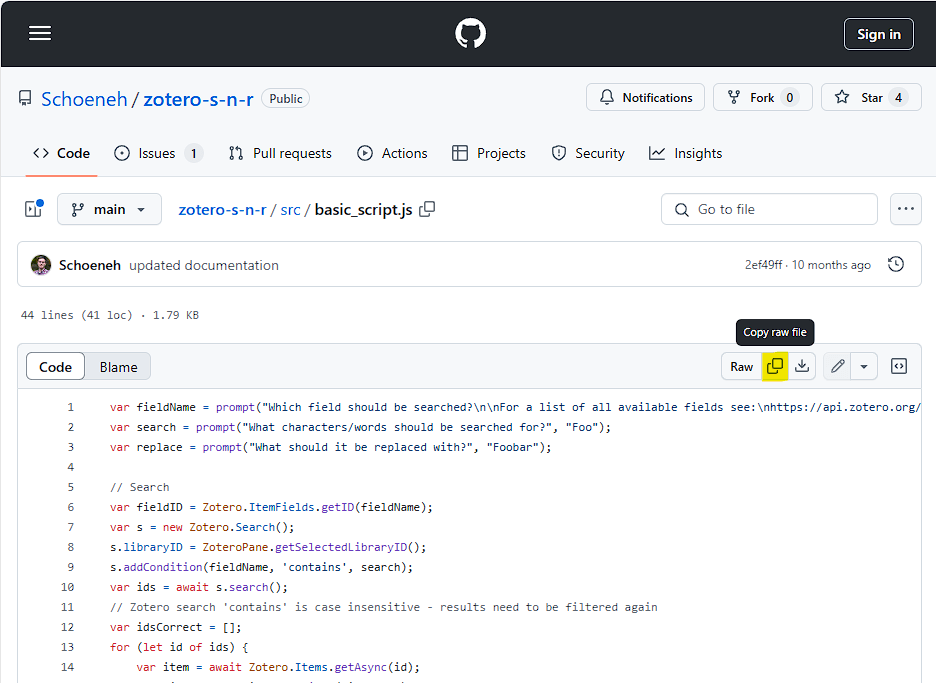
- Click on the ‘src’ folder
- Click on basic_script.js
- Click on ‘Copy Raw File’ at the top right
For option 2:
- Open the following URL: https://github.com/Schoeneh/zotero_scripts
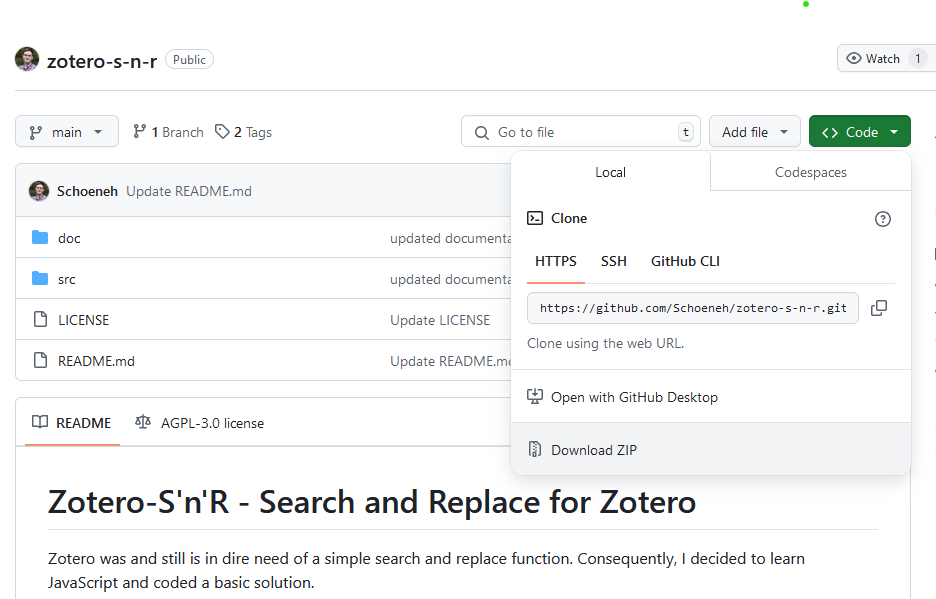
- Click on the green ‘Code’ button at the top right
- Select ‘Download Zip
- You can now unpack the downloaded .zip file
- Then open the new folder and go to the ‘src’ folder
- Open the basic_script.js with an editor of your choice
- Kopiere den enthaltenen Code
The script is now in your clipboard and you can continue with step 2.
Step 2: Execute script
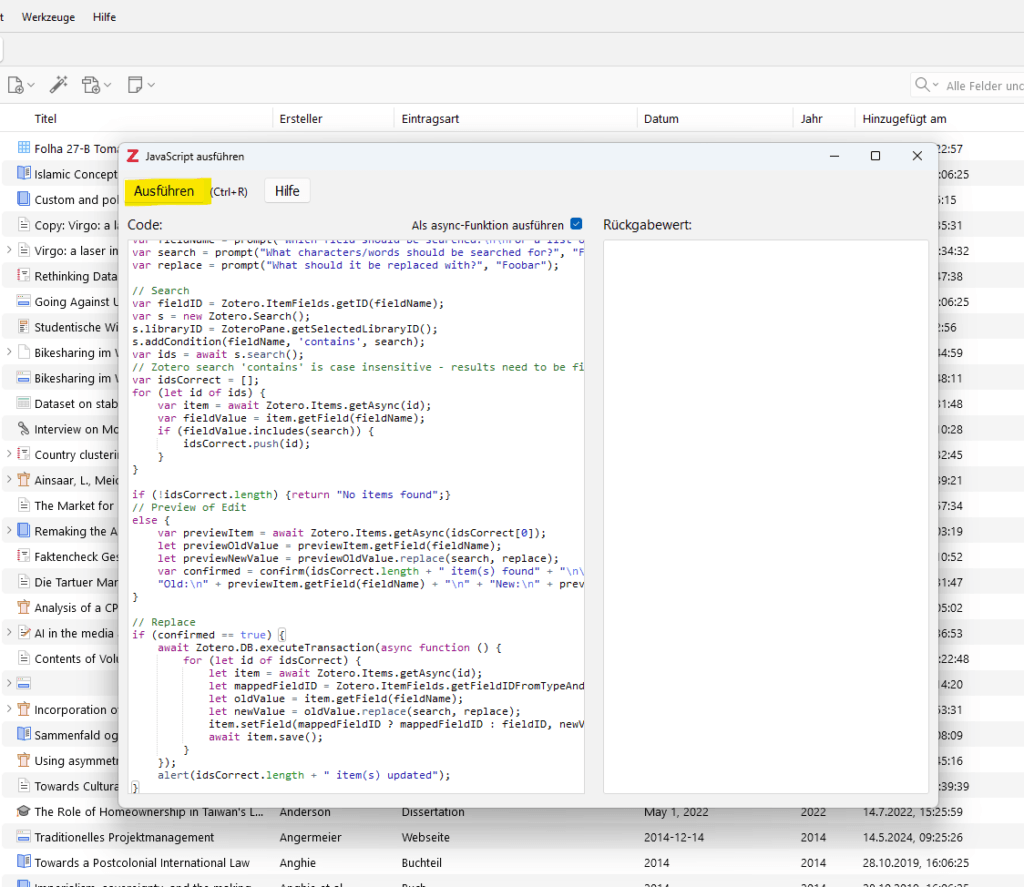
Open the JavaScript console again and load the script by copying the entire code into the console and executing it.
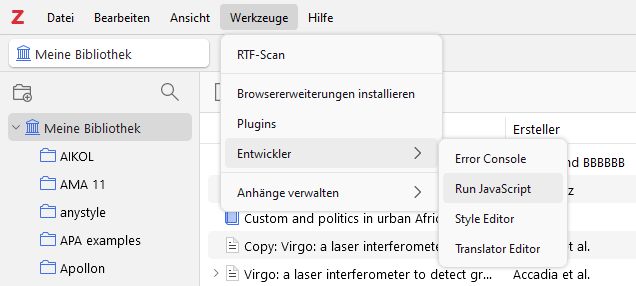
To do this, go to ‘Tools’ >> ‘Developer’ in Zotero and select ’Run JavaScript".
Step 3: Apply script
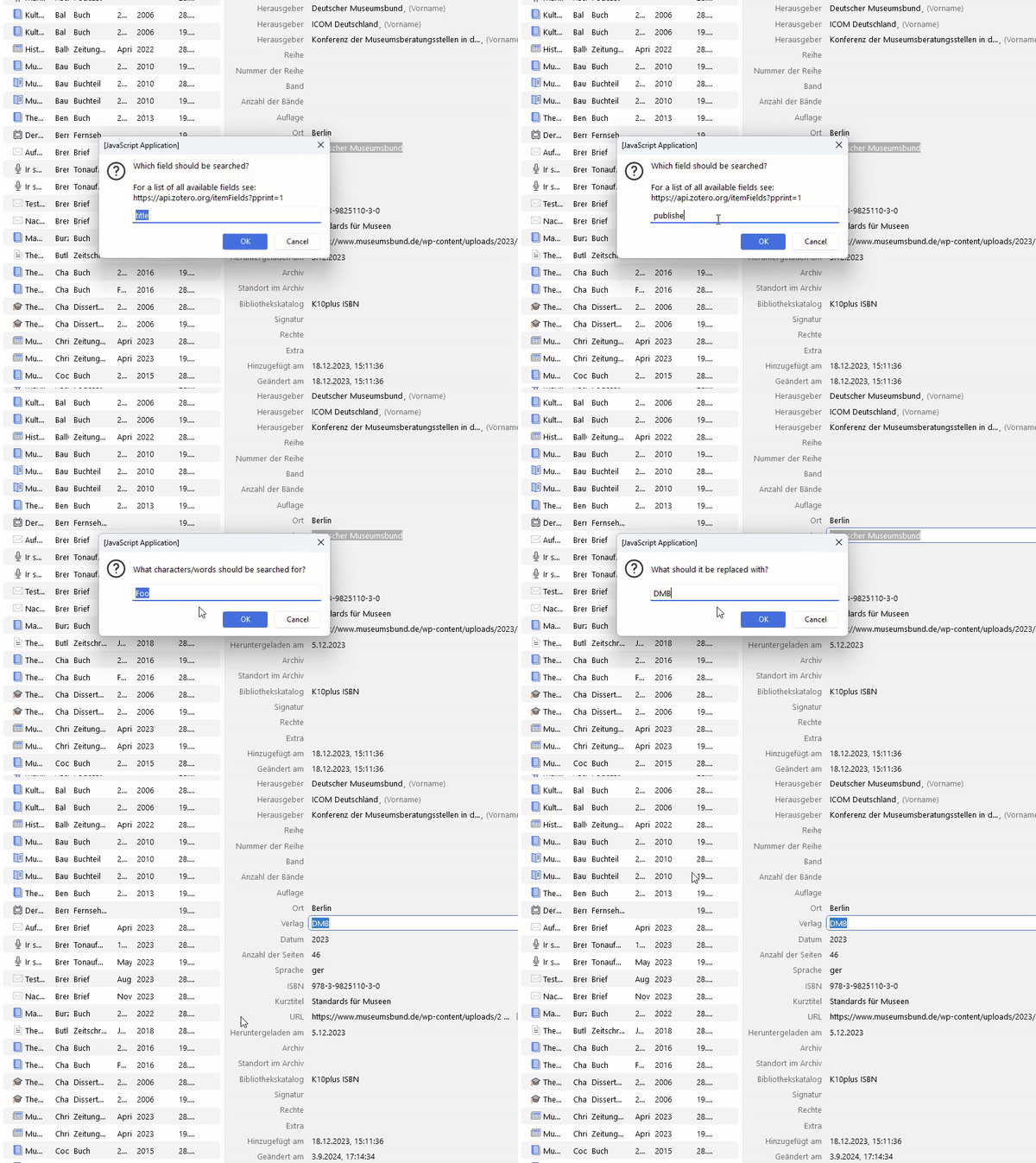
a) Select field
A new dialogue will open, allowing you to select which field of your entries you want to search and replace. You will also be referred to the following URL, which will give you a list of all Zotero fields which can be changed with this script.
Select the desired field, e.g. ‘publisher’ for the publisher field and click OK.
b) Enter the word to be searched for
In the next field, enter the word you want to replace. For example, if you want to change ‘Deutscher Museumsbund’ to ‘DMB’, you would now enter ‘National Institute of Health’ here. Click OK again.
c) Enter the word you want to replace with
Now enter ‘DMB’ in the next dialogue and confirm again with OK.
The next dialogue will now show you how many instances of the word/expression were found by the script and will be replaced as soon as you confirm.
As you can see in the following animation, ‘DMB’ is now also available as a publisher for this entry.
Summary
The Zotero Search & Replace script is a powerful tool that can save you a lot of time if you want to change publisher names or other metadata in your Zotero database en masse. It does require a certain amount of technical understanding to install and use, but the flexibility and efficiency you gain is more than worth the effort.The top Zotero extensions I can't live without‘I also look at the “Bulk Edit Script”, which is based on this script and includes several additional functions.’
Good luck organising and modifying your Zotero library!