
Zotero is an indispensable literature management tool for many researchers, students and academics. However, a well-known problem that many users face is duplicate entries caused by repeated imports or the manual addition of sources. Fortunately, with the Zotero plugin Zoplicate finally an effective solution for efficiently identifying and managing duplicate entries in Zotero is available.
In this blog post, you will find out how Zoplicate works, how it differs from Zotero's own duplicate detection and how it helps you to keep your library organised.
Why should you care about duplicates?
Duplicate entries in Zotero can become a big problem in the long run, especially as your library grows. Not only do they create clutter, but they can also lead to confusion if you refer to the same source multiple times. In addition, it can happen that notes or attachments are spread across different entries, which makes the work confusing. Problems also often arise when citing sources: you cite a paper in Word, want to correct a change to the metadata in Zotero, but it is not updated in Word. You usually have a duplicate in your library.
Zoplicate helps to solve these problems by not only recognising duplicates, but also giving you options on how to deal with these duplicates.
Zoplicate compared to the native duplicate detection in Zotero
The duplicate detection in Zotero is useful, but often not sufficient to efficiently find and manage all duplicate entries. This is where Zoplicate comes in and goes one step further:
- Flexible criteria for duplicate detection: Zoplicate allows you to define specific criteria for recognising duplicate entries. You can define which fields (e.g. title, authors, year) are used for the detection.
- Advanced display options: Unlike the standard Zotero duplicate detection, Zoplicate shows you more details about the duplicate entries, making it easier for you to decide which entries you want to keep. A useful statistics function also gives you a better overview.
- Automated merging: Zoplicate offers you the option of automatically merging duplicate entries, which can save you a lot of time if you have a large database. All attachments, notes and tags of the duplicates are merged into one entry.
Installing and using Zoplicate
The installation of Zoplicate is quick and uncomplicated:
- Download Zoplicate Visit the Zoplicate GitHub repository and download the plugin as an .xpi.
- Installation in Zotero: Open Zotero and go to ‘Extras’ > ‘Add-ons’. Click on ‘Install’ and select the downloaded file.
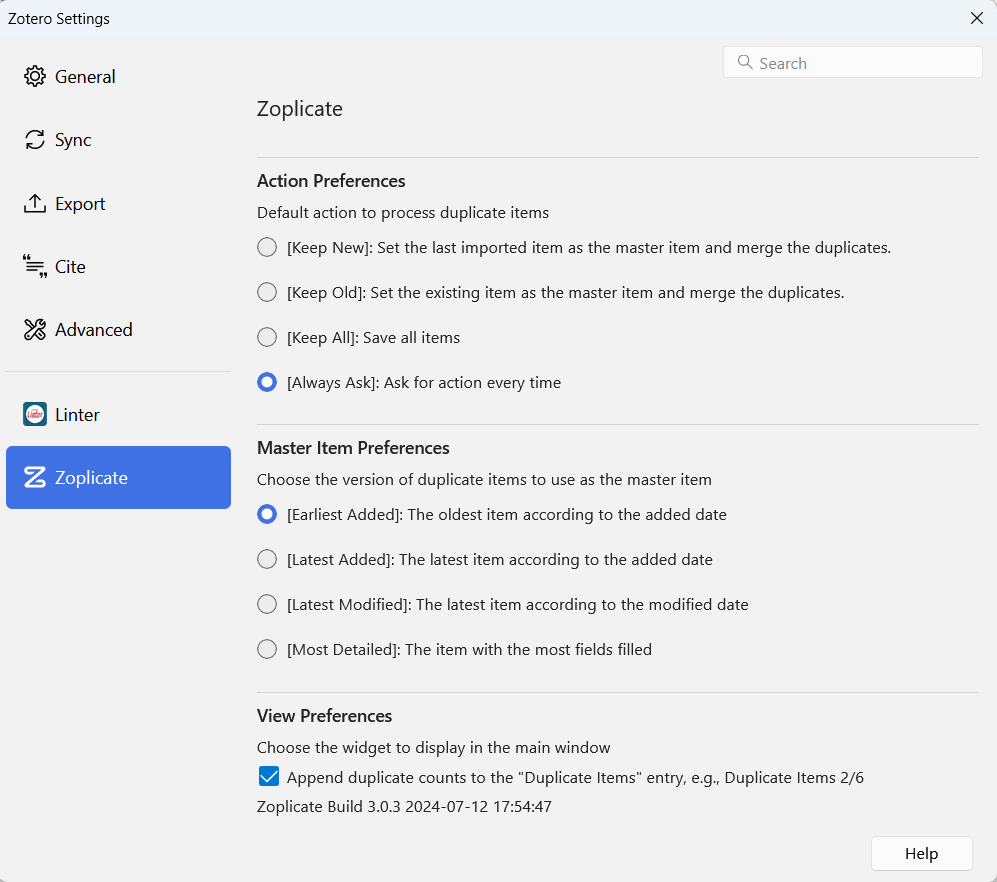
- Using Zoplicate: After installation, you will find the Zoplicate tool in the Zotero menu under ‘Extras’. There you can start the duplicate detection, define specific criteria and merge duplicate entries.
Summary
Zoplicate is an indispensable tool for anyone who manages an extensive Zotero library. It offers a powerful and flexible solution for recognising and managing duplicate entries and goes beyond the standard functions of Zotero. Zoplicate saves you time and ensures that your reference management remains clear and consistent. The plug-in is also very actively used by Chenglong Ma and is already in version 3.0.
If you want to learn more about useful Zotero extensions, check out my blog post ’The top Zotero extensions I can't live without‘ to. There I present other helpful tools that can make your work with Zotero more efficient.
Keep an overview and ensure a clean, duplicate-free Zotero library with Zoplicate!