
No products in the basket.
'Making Zotero citations clickable in Word: The ZoteroCiteLinker add-in'
The ZoteroCiteLinker add-in makes Zotero citations in Word clickable and automatically links URLs in the bibliography. Simply via your menu bar.
If you go in Zotero to Tools → Plugins click, you’ll see a note at the bottom of the window stating that you can download plugins from the official Zotero directory. However, this directory has not been available since May 2026. The page was taken down because it was so out of date that it was actively misleading. An official plugin marketplace has been announced, but is not yet available.
This leaves us with two questions that nobody ever had to ask before: Where can you even find plugins these days – and how can you tell if one of them is trustworthy?
Several places have stepped in to fill the gap, each with its own limitation:
zotero-plugin – complete, but unfiltered. Here, the fully developed project stands alongside the weekend experiment, with no distinction between them.None of these sources addresses the security issue. And this is not just a theoretical concern: Zotero plugins run with full access to your library and your file system.
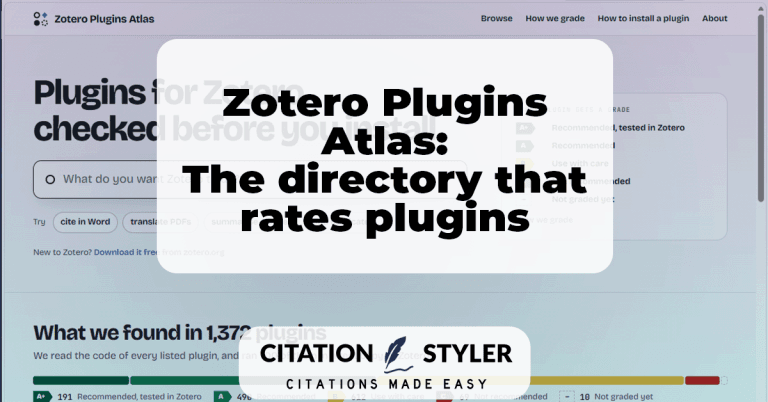
This is where zoteroplugins.org comes in. The directory currently lists around 1,372 plugins – and assigns each one a rating based on an analysis of the actual programme code.
As well as the rating, each card shows which versions of Zotero the plugin is compatible with, whether it requires an API key, whether it can work with a local model, when it was last updated, and how many times the release files have been downloaded from GitHub. The last figure in particular is useful: it distinguishes an established project from one with just twelve downloads.
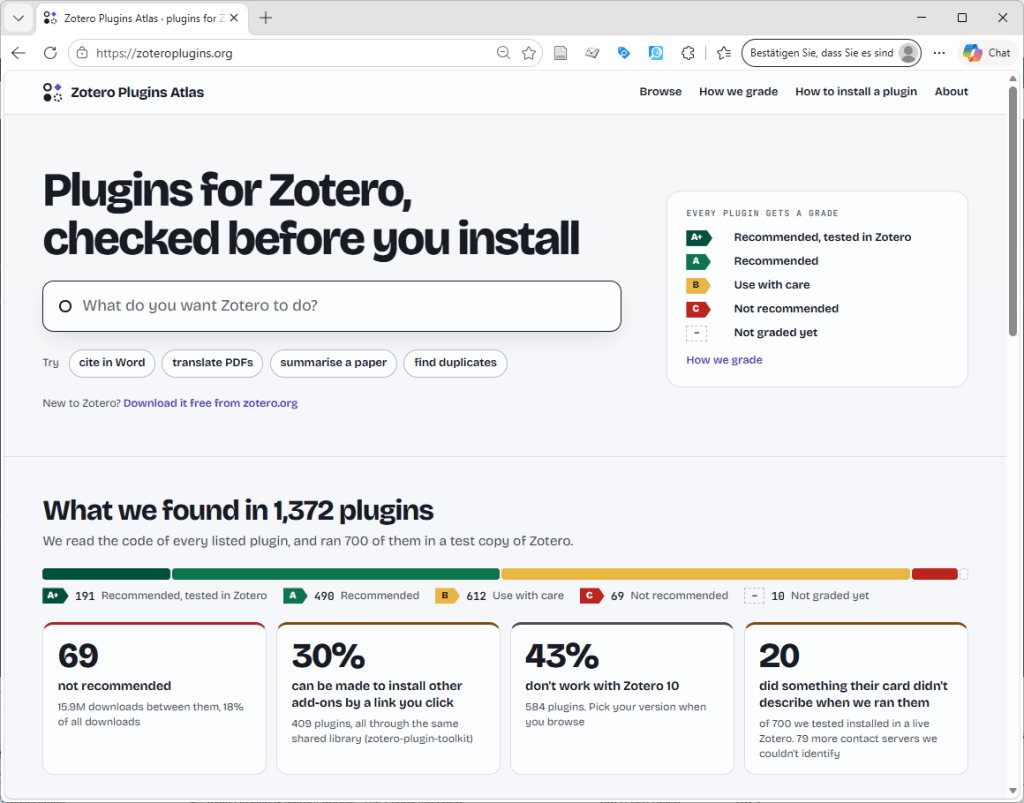
Three factors determine the mark:
Everything else – Zotero compatibility, system requirements, maintenance status, language of the documentation – is displayed, but is not taken into account in the mark.
What matters is the logic behind it: The lowest individual mark determines the overall mark. A plugin cannot compensate for a problem simply by performing well in all other respects. Each finding is linked to the file and the line from which it originates.
The code check alone is not enough to earn the top mark of A+: the plugin is set up and used in a fresh installation of Zotero 10, and every server contacted is logged – including the data being transmitted.
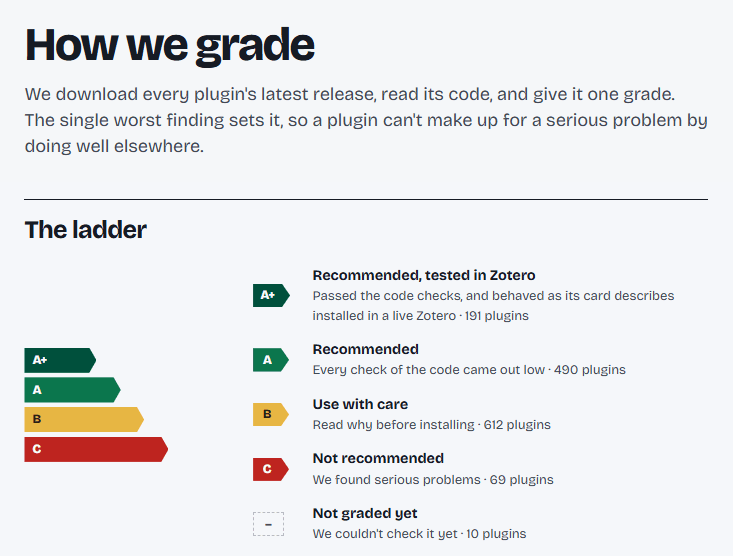
At first glance, the distribution looks worrying:
| Mark | Meaning | Count |
|---|---|---|
| A+ | Recommended, tested in Zotero | 191 |
| A | Recommended | 490 |
| B | Use with care | 612 |
| C | Not recommended | 69 |
| – | Not yet rated | 10 |
A ‘B’ is the most common mark, not the exception. And there are names listed there that hardly anyone would consider problematic: Better BibTeX, Better Notes, Actions and Tags, Linter for Zotero, Attanger, MarkDB-Connect.
In most cases, the reason is the same finding: a zotero://-link which a website can open – is capable of triggering the installation of an add-on without asking first. This does not stem from the code of the respective plugins, but from the zotero-plugin-toolkit, the development framework on which a large part of the ecosystem is built.
This is a genuine finding and needs to be highlighted. But it is a statement about interdependence, not about the diligence of individual developers. Anyone who skims through the ratings and interprets a ‘B’ as a warning will rule out half the Zotero ecosystem – including the plugins that I myself use every day.
In practical terms, this means that for B, it’s worth taking a look at the explanation. If the explanation mentions the Toolkit finding, that’s different from a situation where a plugin sends data to a server that nobody can identify.
There are 69 plugins on C, and in this case the findings are specific and cannot be verified using home remedies:
These are the cases where the mark provides real added value compared to your own gut feeling. As a user, you cannot recognise obfuscated code.
Three plugins from the list illustrate exactly what such findings look like:
None of these findings proves malicious intent. However, every Zotero plugin is granted full access to the library and to the computer. And Zotero is open source – built on the principle that everything relating to one’s own research should remain transparent. Plugins that deliver obfuscated or encrypted code are at odds with this principle, even though Zotero itself has no rule against it.
That is exactly how the project came about. Ilias Beshimov, the man behind the Atlas, describes it as follows: whilst simply browsing for new plugins, he kept coming across surprises like this – and wanted people to be able to find out about them before the installation, not after.
The Atlas is a personal project by Ilias Beshimov. He works as a Product Manager at Academia.edu – he discloses this on the website itself and makes it clear that the project is separate from his work and is not affiliated with Academia.edu. It came about because he enjoys searching for new Zotero plugins anyway and, whilst compiling information, came across things that people would want to know before installing them.
No advertising, no paid listings, and nobody can buy a better rating. The code is licensed under the MIT licence, the data under CC BY 4.0, and everything is openly available on GitHub – including the assessment rules. Developers can dispute any rating; their response will be published alongside the map.
The site has nothing to do with Zotero itself. It is not an official replacement for the discontinued directory.
The page was clearly created with the help of AI, and that raises some obvious questions. The answer can be found on the page: The marks are not awarded by an AI. They are derived from the published rules and the live test.
AI handles two clearly defined tasks: the generally understandable ‘What it does’ descriptions, which are derived from the relevant README and are labelled as such on each card – and the details of what is required (API key, local model, account). The latter are checked by a second, independent run and must cite the plugin’s documentation or code. If the two runs differ or if the reference is missing, the map omits the information rather than making an educated guess.
That’s a neater solution than with some manually maintained directories.
Until now, there has been no useful answer to the question, ‘What does this plugin actually do to my library?’ The Plugins Atlas provides it – in a clear and transparent manner, with open documentation and without any commercial agenda.
My approach before an installation now goes like this: look at the note, read the explanation under B and check whether it’s the familiar Toolkit finding, take a closer look at C, and also pay attention to the maintenance status and number of downloads. It takes a minute and can save a lot of trouble if in doubt.
You can find out which plugins I use myself in my article The top Zotero extensions I can't live without. If you’re specifically looking for AI add-ons, you’ll find them at AI and Zotero: an overview of the best plugins.
Links:
The ZoteroCiteLinker add-in makes Zotero citations in Word clickable and automatically links URLs in the bibliography. Simply via your menu bar.
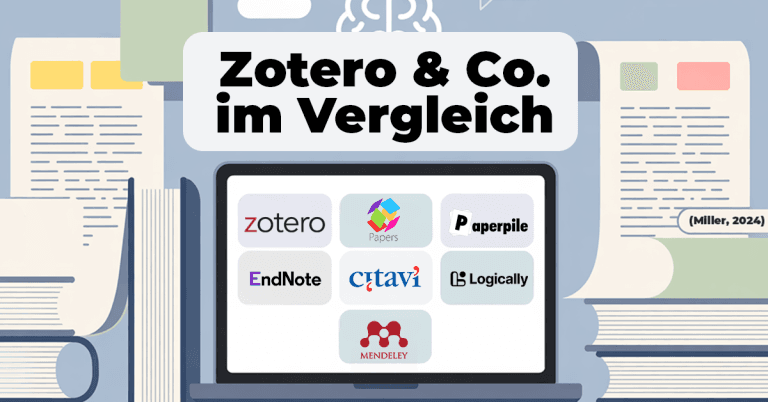
Which literature management system is right for you? Comparison of Zotero, Mendeley, Citavi, EndNote, Paperpile, Papers and Logically – including styles, support and future-proofing.
Learn how to change all entries in Zotero at once by using the Zotero Search & Replace Script. A simple guide to using the script for efficient reference management.

With the update to Zotero 7, the popular ZotFile add-on is no longer compatible. But don't worry! There are 2 promising alternatives that fill the ZotFile gap. In this blog post, you can find out what has changed in Zotero 7 and which add-ons will help you to continue managing your PDFs efficiently.
We use cookies to enable you to navigate our website efficiently and to carry out certain functions. You can find detailed information on all cookies below, under the relevant consent categories.
Cookies classified as ‘necessary’ are stored in your browser, as they are essential for the website’s basic functions.
We also use third-party cookies to help us analyse your use of this website, save your settings and provide you with content and marketing materials that are relevant to you. These cookies are only stored in your browser with your prior consent.
You can enable or disable some or all of these cookies; however, disabling some of them may affect your browsing experience.
Necessary cookies are required to enable the basic features of this site, such as providing secure log-in or adjusting your consent preferences. They are not used for advertising or to track you across other sites. The consent cookie stores a random identifier that lets us keep a record of the choice you made.